
Fan Selection DLL
Your fans. Their software.
Make your fans selectable inside your customers’ applications.
Give AHU manufacturers and OEM partners a ready-to-integrate Windows library powered by your fan catalogue. Accurate selection, fully offline, without them developing calculation algorithms of their own.
You provide the fan data. CloudAir provides the engine. Your customers integrate it.
Make your fans the easiest choice for AHU manufacturers
A unit builder picks the fan while designing the unit, inside their own configurator — long before anyone sends an enquiry. If your fans are not in that program, they are not in the design, and the enquiry never arrives. Put your catalogue inside their software and you are the supplier that is already there, with the right numbers, at the moment the decision is made.
You — the fan manufacturer
Your catalogue, your measured curves, your selection rules. You decide which partner may select from which part of the range, in which languages and for how long.
CloudAir — the engine
The native library and the encrypted database carrying your products. The same calculations your own selection software runs, packaged so a partner can call them.
Your customer — the integrator
An AHU builder, an equipment manufacturer or an OEM software partner. They keep their own program and their own interface, and your fans appear inside it.
Your fans, their software
Your products become selectable inside the workflow your customers already use every day.
Product data stays yours
Encrypted catalogues and a signed licence per partner — each one sees only the range you release to them.
Selection without a connection
A native Windows library that computes locally, so it works on a factory floor or behind a closed network.
One set of numbers
Your selection software, this library and the online API answer from the same engine — a partner's result can never contradict your own catalogue.
The customers who would carry your catalogue
Each of them already has software their engineers work in every day. None of them wants to build a fan selection engine — they want your fans available inside what they already use.
AHU selection software
The unit configurator computes what the section needs and the DLL picks the fan from the manufacturer's catalogue, inside the same program.
Desktop HVAC applications
An existing engineering program gains fan selection without anyone building or maintaining a second calculation engine.
BIM and MEP workflows
A Windows-based BIM or MEP tool exchanges airflow and pressure with the library and reads back the calculated fan.
Equipment configurators
Industrial equipment that contains a fan can be designed and configured with the real selection behind it.
Internal quotation tools
Engineering and sales work from the same calculation as the published catalogue, inside the software they already use.
Distributor applications
An authorised distributor runs the manufacturer's selection locally, limited to the range their licence covers.
Three files, each with one job
The engine, the product data and the permissions are kept apart — which is what lets the catalogue be updated without touching the application, and the scope be set per integrator.
01 — Selection engine
cloudair-selection.dll
The native library with the selection and engineering calculations: open a database, run a request, read the result, release resources. Built for 32-bit and 64-bit Windows applications.
02 — Encrypted catalogue
catalogue.cadb
The authorised part of the manufacturer's range: categories and series, models and specifications, measured points and curves, acoustics, variables, tags and languages. Encrypted, and updated independently of the library.
03 — Signed licence
catalogue.calic
A digitally signed file stating which catalogue, products, languages and validity period are permitted. The DLL checks it locally when opening the database — no online activation for ordinary offline work.
The host application owns the interface, the project workflow and how results are presented. CloudAir supplies the calculation and the authorised product data.
Engineering calculations, not a product filter
The library does not compare nominal catalogue values. It works out whether a fan can actually deliver the duty point, and under what conditions.
Performance curves
The engine evaluates the fan's own measured data to decide whether the duty point is reachable, and where on the curve it lands.
Variable-speed operation
Frequency inverters, EC control and speed adjustment are taken into account, and the applicable control setting is returned with the resulting conditions.
Air density correction
Density can be given directly, or computed from temperature, humidity and altitude, so performance is evaluated for the conditions the fan will see.
Power and efficiency
Shaft power and the electrical quantities are computed from the fan, motor and drive characteristics — not by applying fan laws to electrical power.
Acoustics
Measured octave-band data is used where it exists. Where it does not and the inputs allow it, the spectrum is estimated by VDI 3731 and explicitly marked as an estimate.
Energy and ranking
FEI, power, efficiency and stored ErP 2026 status come back with each result, which can be scored together or sorted by efficiency, power, sound, speed or FEI.
The same engineering logic answers through the offline DLL and the online Selection API.
Your measured data leaves the building under your rules
Performance measurements and selection algorithms are years of work. Handing them to an integrator should not mean handing over the whole range in a readable file.
Scope per integration
Chosen categories, series and single products — each partner gets the assortment you decide on.
Encrypted on disk
The catalogue is distributed as an encrypted database, not as readable product files.
Licence tied to the data
The library checks that licence and database belong together and are still valid before opening anything.
Languages and validity
Permitted language versions and an end date are part of the signed licence.
No server to reach, no latency to wait for
Once the three files are installed the engine works on its own — which matters most on sites where the internet is unavailable, unreliable or simply not allowed.
No internet dependency
Selections keep working with the connection down, on a factory floor or at a customer's site.
Local execution
Requests are processed on the machine running the application, with no round trip to wait for.
No calculation service to run
Routine operation needs no separate selection service deployed anywhere.
Predictable deployment
Library, database and licence can be shipped together with the host application's installer.
Controlled product access
Only the licensed catalogue data is present on the integrator's machine — nothing else is reachable.
Updates when convenient
A connection is needed only to fetch a newer catalogue or library, at a moment that suits the integrator.
Offline operation still depends on the local database and licence being valid. Both carry a defined validity period, and updates are collected whenever a connection is available.
A new catalogue is one file, not a new release
Offline does not have to mean out of date. Because the engine and the data are separate, revised curves, new models, changed parameters or updated acoustics reach an integration as a new encrypted database.
The partner replaces one file. The host application's selection logic does not change and nothing is rebuilt. Updates can be collected by hand or through the documented download endpoints when the application happens to be online, and the library itself follows its own release cycle.
One manufacturer-controlled product database. Many authorised integrations.
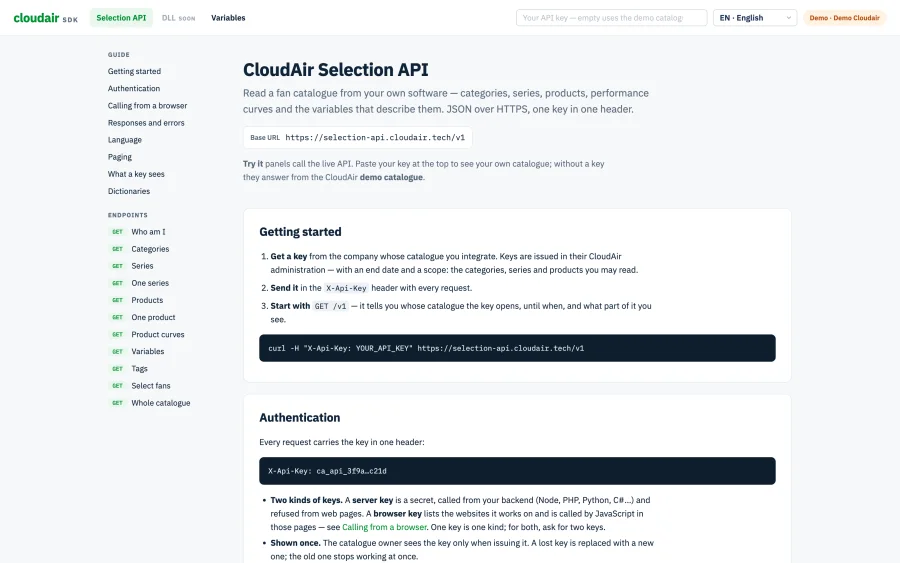
One function call, a finished selection
Airflow and pressure are the only parameters the library insists on. Everything else narrows the search or describes the conditions the fan will actually work in — the same names and the same response shape the online selection API uses.
- Matching models with their full product information
- The computed point: pressures, shaft and input power, efficiencies, speed
- The control setting that gets there — inverter frequency, EC voltage or speed
- FEI, stored ErP 2026 status and octave-band acoustics
- Selection warnings, and the candidates that fell out with the reason
using CloudAir;

using var dll = Selection.Open(
    @"C:\Data\catalogue.cadb",
    @"C:\Data\catalogue.calic"
);

string result = dll.Call(
    "select_fan",
    new Dictionary<string, object>
    {
        ["volume"]   = 12000,
        ["pressure"] = 650,
        ["limit"]    = 5
    }
);
A native interface and JSON, nothing exotic
The package ships a C/C++ header, a C# wrapper and working examples, so no one has to reproduce the selection algorithms to call them.
| Environment | How it is called |
|---|---|
| C# / .NET | Supplied wrapper and example project |
| C / C++ | Native functions and header file |
| Python | ctypes |
| Excel / VBA | Windows DLL declarations |
| Delphi | External function declarations |
| Other Windows software | Any native DLL calling convention |
From access key to first selection
Obtain access
Get an authorised DLL access key, or start from the demo download to see the engine answering before anything is agreed.
Download the package
The Windows library in both architectures, the encrypted product database and the signed licence.
Connect the library
Call the native functions directly, or start from the wrapper and the example project for your language.
Run a selection
Pass airflow, pressure and any operating conditions you have, and read the JSON that comes back.
Show it your way
Present the selected fans and their calculated data inside your own interface, in your own layout.
Two ways into the same engine
The calculation is identical. What differs is where it runs and how fresh the product data is.
| Selection DLL | Selection API | |
|---|---|---|
| Where the calculation runs | On the local machine | On the CloudAir server |
| Internet to compute | Not required | Required |
| Windows desktop integration | Native library call | HTTP request |
| Product database | Encrypted local snapshot | Live central database |
| Getting product updates | Download a new database | Immediate, centrally |
| Engine updates | Distribute a new library | Applied centrally |
| JSON in and out | Yes | Yes |
| Selection logic | Same engine | Same engine |
| Best suited to | Offline desktop software | Web and connected software |
Choose the DLL when
The software has to work offline, must compute locally, or runs in a Windows environment where outbound connections are restricted.
Choose the API when
The application is web-based or cross-platform, or has to reflect a change in the central catalogue the moment it is published.
Or run both
Online selection through the API, offline through the DLL, on the same algorithms. Compare results only across matching engine and catalogue versions.
A longer comparison is in Fan selection software: API vs DLL, or see the Selection API in detail.
Build the selection logic once, publish it everywhere
The DLL is one outlet of a larger platform. Technical product data is maintained in the administration environment, the selection software publishes it to your customers, the API serves connected applications and the DLL serves the offline ones — all on the same records and the same algorithms. Change a curve once and every channel answers with the new number.
Explore the CloudAir platformCommon questions about the selection DLL
What is a fan selection DLL?
A Dynamic Link Library holding the selection and engineering calculations, called directly from another Windows application. The developer sends a duty point and reads the result — without reimplementing performance curves, regulation, density correction or acoustics.
Does the DLL need an internet connection?
No. Once the library, the encrypted database and a valid licence sit on the machine, every selection is computed locally. A connection is only needed to download a newer catalogue or a newer library version.
Which languages can call it?
C and C++ through the native header, C#/.NET through the supplied wrapper, Python through ctypes, Excel through VBA declarations and Delphi through external function declarations. Any environment that can call a native Windows DLL can use it.
Is it the same calculation as the online selection API?
Yes — the same engineering engine, the same endpoint names, parameters and response structure. Compare results between the two only on matching engine and catalogue versions, since a different snapshot can legitimately answer differently.
Is it suitable for AHU selection software?
Yes, that is the case it was built for. The unit configurator computes the airflow and pressure the section needs, passes them to the DLL, and receives the fans that deliver them with speed, power, efficiency, FEI and sound already calculated.
Can we control which products an integrator sees?
Yes. Each licensed integration receives a defined part of the catalogue — chosen categories, series and single products, in chosen languages and for a defined period. A product outside that scope is not in the database the integrator holds.
How are product updates handled?
The engine and the data are separate files. When the catalogue changes, a new encrypted database is published and the integrator replaces one file — no rebuild of the host application and no change to its selection logic. The library itself is updated only when a new version is released.
Can our customers use it inside their own commercial software?
Yes — that is what it is for. The library is integrated into the partner's own application, under the commercial licence agreed with you and limited to the product access you grant them.
Where is the technical documentation?
At sdk.cloudair.tech/dll — every function, the request and response structures, and working examples for each supported language.
Pricing scoped to how your catalogue is used
How many integrations, how much of the range each one carries and how often the catalogue is refreshed — tell us who needs to select your fans from their own software and we will put together a concrete quote.
Get a quote
Let's talk about your integration
No sales deck, no pressure — just a 20-minute meeting to see what it would take to put your selection engine inside someone else's Windows software.