
Custom fan selection software for manufacturers
Turn your fan catalog into a complete digital selection platform.
Customers enter the airflow and pressure they need, compare the fans that can deliver it, check performance, acoustics and efficiency, add accessories and walk away with a branded datasheet — all from your own catalog, under your own brand.
Selecting a fan is not filtering a product list
A generic configurator matches values. A fan selector has to understand how a fan behaves — and the relationships below are what it is built around.
Axial, centrifugal, roof, inline, wall, box, smoke-extract and ATEX families all live in one selection environment — each with the rules that actually apply to it.
From a duty point to a selected fan
Six steps, and the customer never leaves your catalog.
Enter the operating point
Airflow, pressure, temperature and whatever else your catalog needs — dimensions, motor type, sound limit, installation or an efficiency requirement.
Search the whole range at once
The engine evaluates every model against that duty point and ranks what can actually meet it, on technical and commercial criteria you define. No browsing hundreds of catalog pages.
See the real operating point
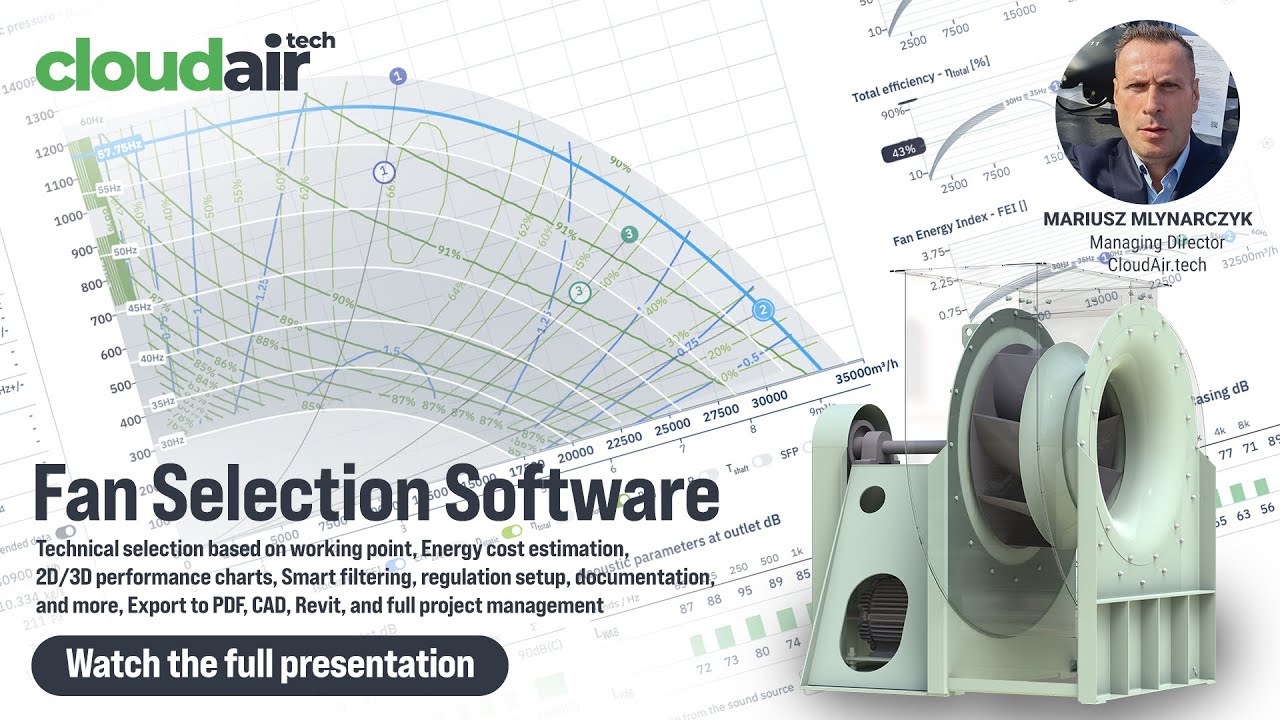
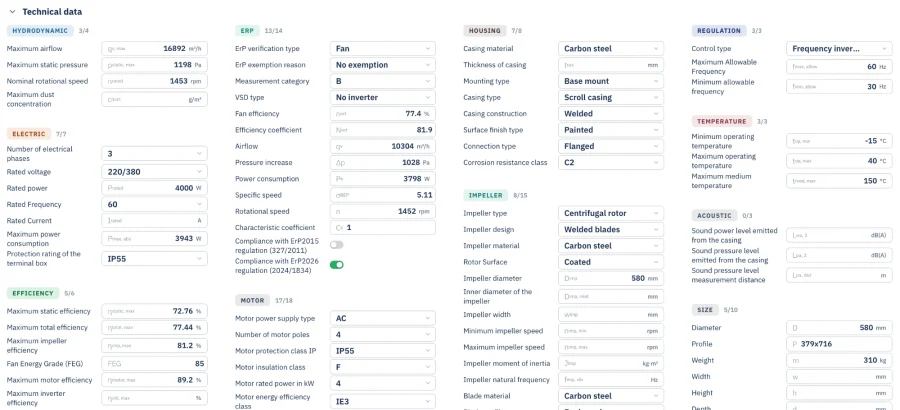
Not nominal catalog figures: the computed airflow, pressure, speed, frequency, absorbed power, efficiency, SFP, FEI, ErP status, sound power, motor data and dimensions, with the point marked on the curve.
Open the full engineering view
Curves across the whole range, performance at other speeds and frequencies, octave-band sound at inlet, outlet and casing, energy cost, drawings, CAD and electrical data.
Configure the complete solution
Guards, dampers, flexible connectors, silencers, feet, isolators, inverters, thermostats, sensors and controllers — only the ones your database says fit the selected model.
Generate the documentation
A branded selection card or technical PDF built from the same data the engine calculated on — duty point, parameters, curves, acoustics, dimensions, accessories and project details.
See a real program, end to end
Selection, catalog, comparisons, PDF generation and the admin platform — a detailed, unscripted walkthrough of what a CloudAir program actually does.
The selection screen is the part customers see
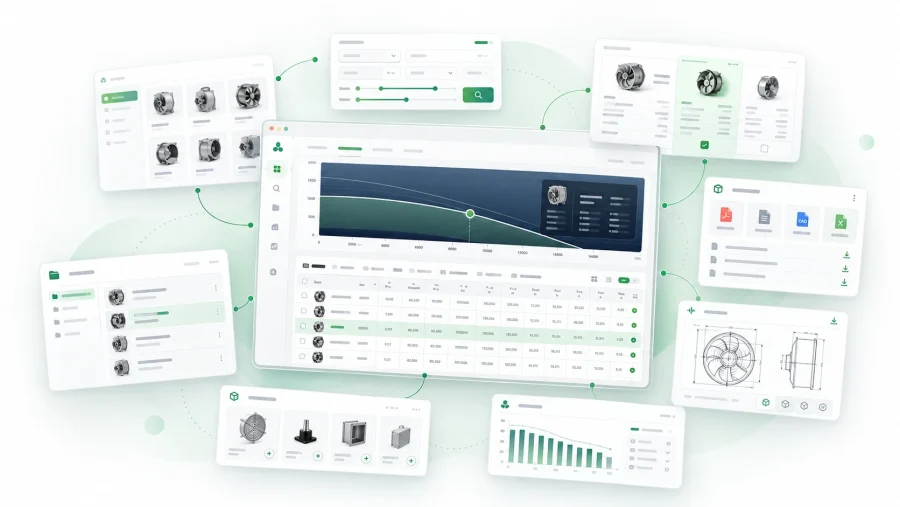
Behind it sits the rest of the work: a catalog people can browse before they know their duty point, projects they come back to, comparisons, accessories and every technical file attached to the product it belongs to.
- Catalog by category, series, model and application
- Parametric search across the whole range
- Projects holding several selections and their documents
- Side-by-side comparison on the parameters that matter
- Datasheets, manuals, certificates, CAD and diagrams per product
Every manufacturer needs a different set
So each program is assembled from modules rather than written from nothing. These are the ones fan manufacturers ask for most.
Performance curves
Interactive pressure, power and efficiency charts with the operating point marked on them.
Multiple duty points
Several operating points analysed for the same fan, side by side.
Speed control
Performance at other frequencies or rotational speeds, calculated rather than tabulated.
Acoustics
Octave-band sound power at inlet, outlet and casing, and the sum in dB(A).
FEI
Fan Energy Index per AMCA 208 at the computed operating point, not at peak efficiency.
ErP 2026
Compliance checked dynamically against the current regulation as the selection changes.
Energy cost
Running energy and cost estimated from the duty point and a tariff.
Motor selection
Motor and electrical data carried through to the result and the datasheet.
Dimensions & CAD
Drawings, dimension tables and downloadable 3D models per model.
Unit conversion
Metric and imperial throughout, with the precision each field warrants.
Comparisons
Any number of candidates compared across the full technical dataset.
Analytics
What customers select, view and download, per product and per period.
More than 45 modules are available today, configured around your catalog rather than bolted on as options.
A selector is only as good as the data behind it
The program runs on a structured product database — parameters, curves, acoustics, dimensions, images, files, translations, accessories, model relationships and regulatory data. Your team manages all of it from the admin platform, without a developer in the loop.
- Add and edit products, series and technical data directly
- Import curves and parameters in bulk
- Draft, review and publish before anything goes live
- Roll back any change from the full edit history
The same records can feed your PIM, your website, the product data API and generated catalogs.
White-label by design
The program runs on your domain, under your logo, in your colours, using your product terminology, producing PDFs in your design. Customers deal with your brand from the first duty point to the finished datasheet. We are the technology underneath, and we stay there.
The same engine, inside somebody else’s software
A selection program does not have to live only on a web page. The logic can be reached three other ways.
Selection API
A system sends an operating point and receives matching fans with the calculated results. Used by AHU manufacturers, engineering platforms, distributor portals, internal sales systems and BIM applications.
DLL / SDK
For software that has to work locally, the same selection logic ships as a library — so another manufacturer’s desktop application can select your fans without the user leaving it.
Product Data API
The technical database exposed on its own, independently of selection, for websites, ERP systems, portals and partner software.
One system, every market
Multilingual interfaces, translated product content and market-specific documentation — including right-to-left layouts for Arabic. One product structure serves every country instead of a separate selection system per market.
Read the Selection API documentation.
Used by real fan manufacturers
Complete selection platforms running for manufacturers across Europe and beyond.
CFB
A full selection platform with FEI and ErP 2026 isocurves on the chart, deep engineering modules and its own product administration.
BVN
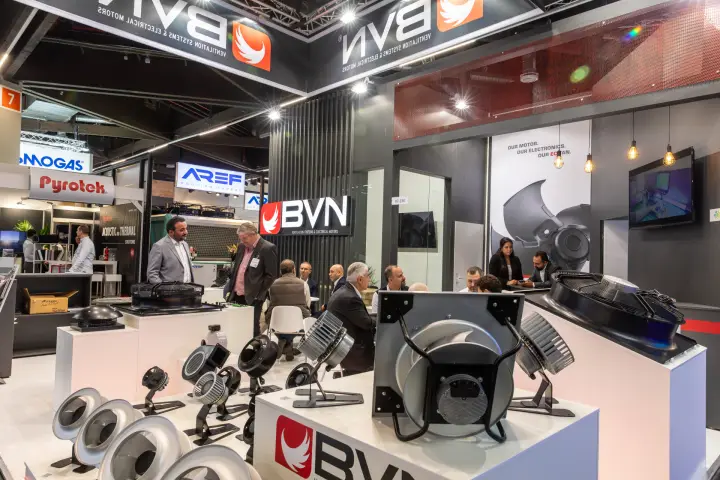
A multilingual program for one of Turkey’s largest fan manufacturers, including a complete right-to-left Arabic interface.
UVENTS
Digital catalog, engineering selection and generated technical documentation in one system.
Harmann
The selectair program: selection, comparisons, accessories and generated technical data.
Venture Industries
Selection software connected to a structured product database that also feeds the website and the catalogs.
Konwektor
Six fan categories including ATEX and smoke extraction, with operating cost built into the selection itself.
From your catalog to a working platform
Understand the range
Your fan families, the data you already have and how selection happens today.
Define the system
Which selection methods, modules, languages and integrations the project actually needs.
Structure the data
Products, curves, acoustics, dimensions and documents imported into the database.
Configure the engine
The calculations adapted to your fan types and your engineering rules.
Apply your brand
Domain, colours, terminology and document design set to your company.
Validate the results
Your engineers check the output against fans and duty points they already know.
Launch and keep going
Live for customers and sales, with development continuing as the catalog grows.
Why manufacturers bring this to us
We already know fan engineering
Curves, acoustics, FEI, ErP, speed regulation and real operating points are our daily work. You will not be explaining them to a generic software house.
A platform, not a blank page
Catalog, charts, projects and administration already exist and are proven, so the effort goes into your product logic instead of the plumbing.
Custom where it matters
The software follows your products, your terminology and your selection process — your catalog is not forced into a generic configurator.
Built to keep changing
Catalogs grow and regulations are revised. The platform is designed to evolve after launch rather than freeze at version one.
Common questions
Does the fan selection software run under our brand and domain?
Yes. It is 100% white-label: every customer-facing screen runs under your domain, your logo and your color palette, with CloudAir nowhere visible on the surface unless you want it to be. BVN's program runs at bvnair.com/fansecim and UVENTS' at selector.uvents.com.tr.
What product data do we need to provide?
Your category and series structure plus, for each model, the technical data, performance curves, acoustic data, dimensions and electrical diagrams. We map your structure into the database, import product files in bulk or enter mixed sources one by one, and your team can add products itself through the admin platform.
Can we test it on our own fans first?
Yes. Up to 10 real fans are added free of charge across your categories so you can test the finished tool against your own data, and you verify selections against known duty points before anything goes live.
Does every selection check FEI and ErP 2026?
With the FEI and dynamic ErP compliance modules, the Fan Energy Index is calculated for every operating point and each selection is verified live against the ErP directive — flagged the moment it falls out of compliance. Try the same calculations in the free FEI calculator and ErP 2026 calculator.
Can other software select our fans?
Yes. The online selection API (JSON/XML) lets system integrators call your catalog from their own software, and the DLL library lets, for example, an AHU manufacturer's own software select your fans directly.
What does it cost?
Every program starts from a €14,900 one-time setup fee plus a monthly fee that covers continuous development, updates and bug fixes, helpdesk and ongoing admin platform improvements. Optional modules are added individually — build your configuration and see the estimate update live.
Pricing is scoped around your catalog, the modules you need and the data work involved — ask for a quote.

Turn your fan catalog into software
Give customers and sales engineers a faster way to find, compare and specify your products. Twenty minutes is enough to see what your own catalog would look like inside it.