

Product data administration system for HVAC manufacturers
The system your catalog is built in — not a black box
Every screen below is the real thing, photographed in a live catalog. Where the PIM for HVAC manufacturers is the database, this is where the data is entered, checked, approved and published from — fifty-five screens across fourteen areas, from a series grid to the API keys your partners use. Personal and commercial data is blurred on these screenshots.
Categories, series and models — the shape of the catalog
Everything else hangs off this. A series carries what the whole family shares; a model carries what makes it different. Get the shape right once and every datasheet, filter and API answer inherits it.
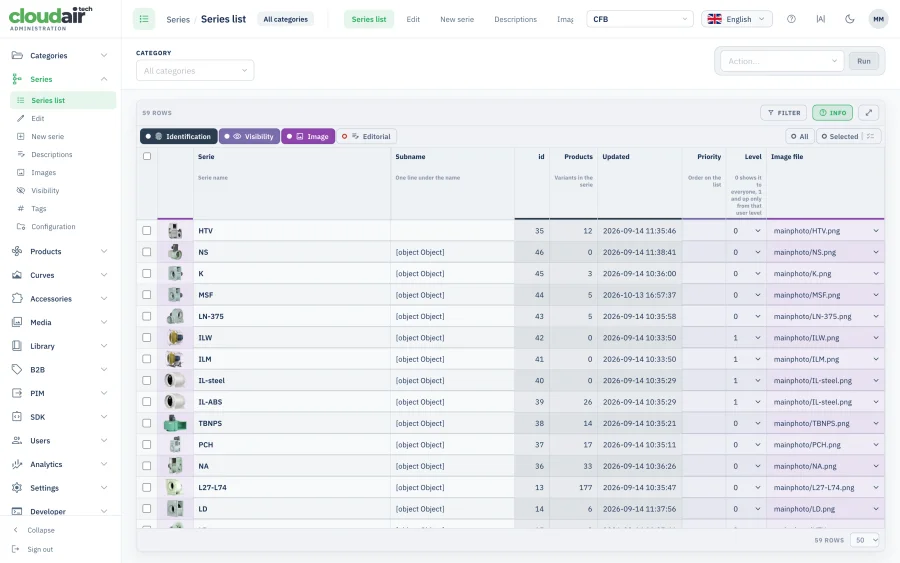
Every series in one list
Model count, last change, priority, access level and the image file each series uses — all in one table you can sort and filter by category, instead of a tree you click through branch by branch.
Priority decides what a customer meets first in the catalog; access level decides who sees the series at all. Both are set here, per series, and the bulk action bar applies a change to everything you have ticked.
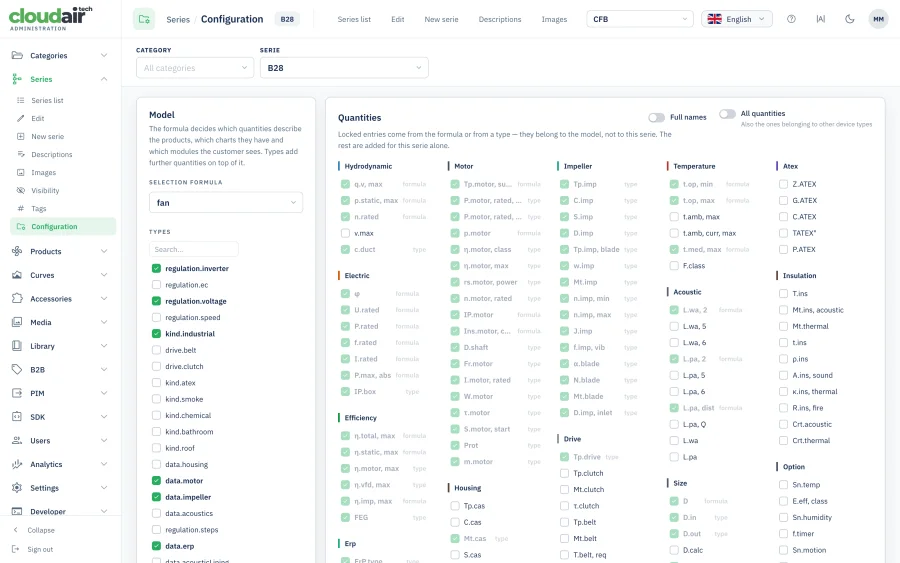
What a series is, technically
The selection formula that tells the engine how this family is calculated, the regulation types its fans support, the quantities that describe them and the parameters shared by every model in the series.
Set once at family level and inherited downwards, so adding the twentieth size to a series is filling in what differs, not re-entering what does not. Change the formula here and every selection against that series follows immediately.
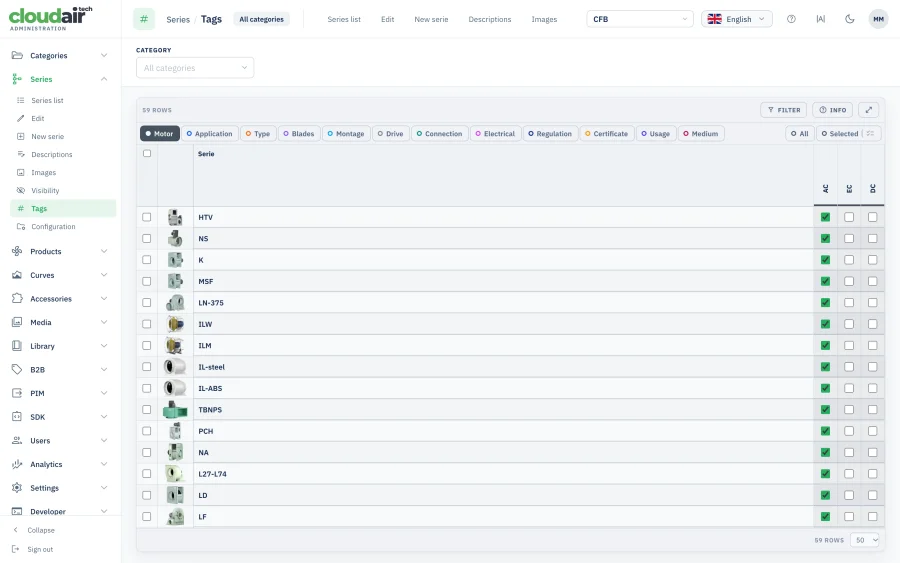
Tags that drive the filters
The tag groups your customer filters by — application, construction, blade type, mounting, connection, motor, regulation, certificates — switched on per series from the full dictionary.
A product inherits the tags of its series and can add its own. Because filters in the catalog and the ?tag= parameter in the API read the same keys, a tag ticked here changes both at once.
Technical data, and a running check on its quality
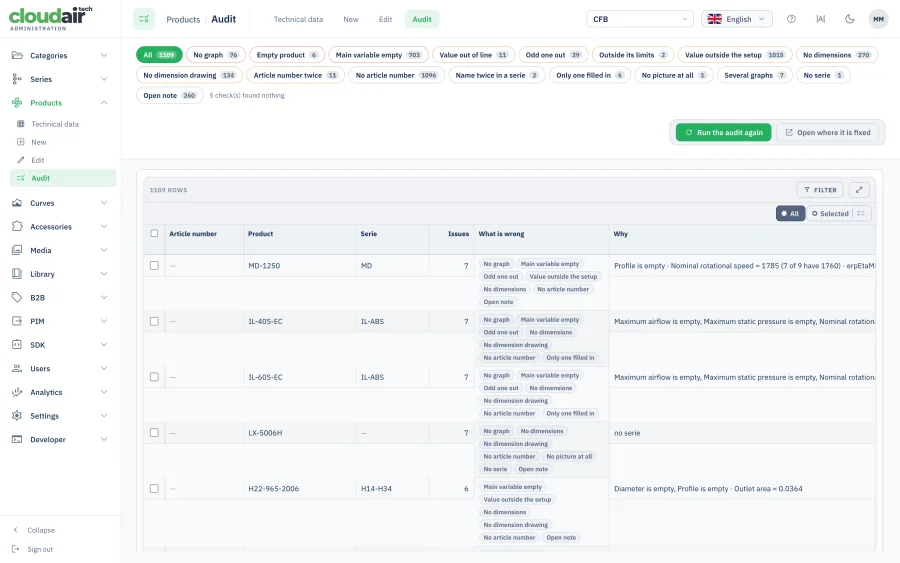
A whole series is edited in one grid, and an audit watches it the entire time — so gaps are found by you, not by a customer whose selection returned nothing.
What is missing, product by product
Every hole in the data with the reason attached: a headline field left empty, a value outside the range its variable allows, text sitting in a numeric field, a figure that contradicts another one.
The audit runs over the whole series and reports completeness as a percentage, broken down by data group — aerodynamics, electrics, motor, housing, acoustics — emptiest group first, so the next hour of work is chosen for you. The report exports, which is how a catalog of a few thousand models gets finished by more than one person.
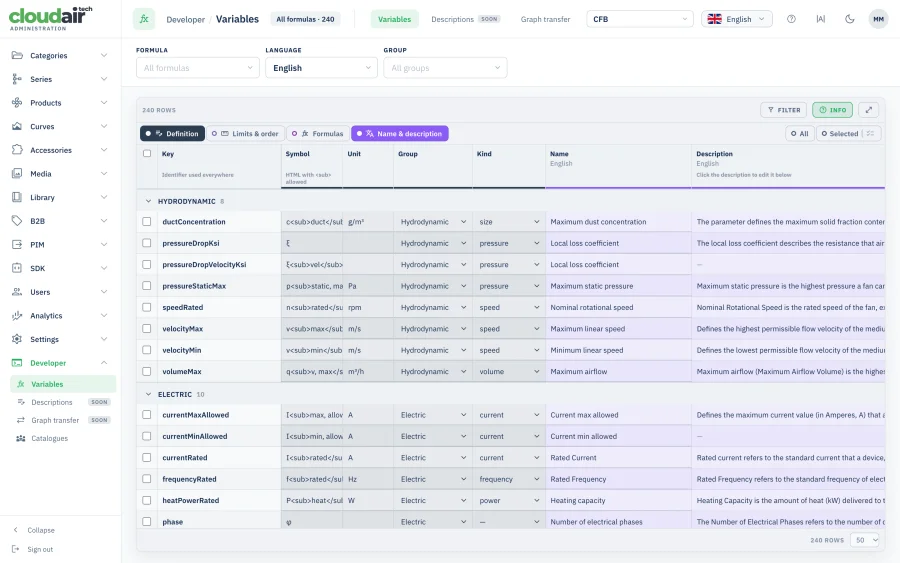
The variable dictionary behind it all
Every quantity the catalog knows: key, display name, symbol with its subscript, unit, group, rounding step, allowed range or list of values, and a description explaining what the number actually means.
This is the single source the grid validates against, the datasheets label from, and the API publishes — the same keys an integrator reads from /v1/variables. Add a variable here and it appears everywhere, correctly rounded and correctly named, without touching a template.
Dimensions that cannot drift from the drawing
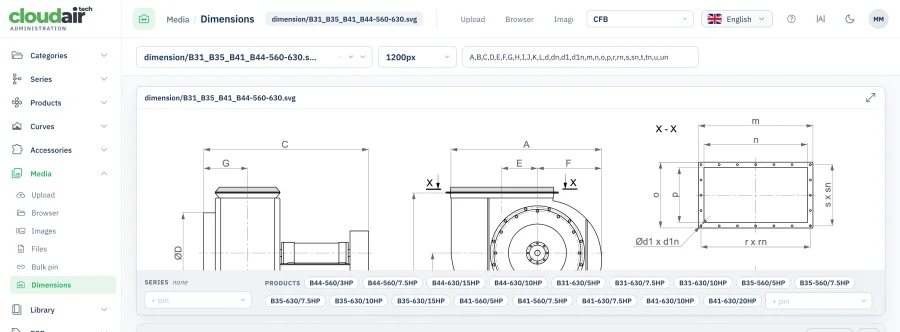
Drawings tied to a measurements table
A dimensional drawing with its letters — A, B, C, d, dn, m, n, o, p, r, s, un — declared next to it and mapped onto a per-model table of values, with the list of products that share this exact drawing shown underneath.
One drawing serves a whole family: seventeen models can hang off a single SVG, each with its own row of measurements. Correct a number in the table and every datasheet, catalog page and PDF that uses it is correct too — nobody reopens a CAD file to fix a dimension.
Accessories, and whether they still add up
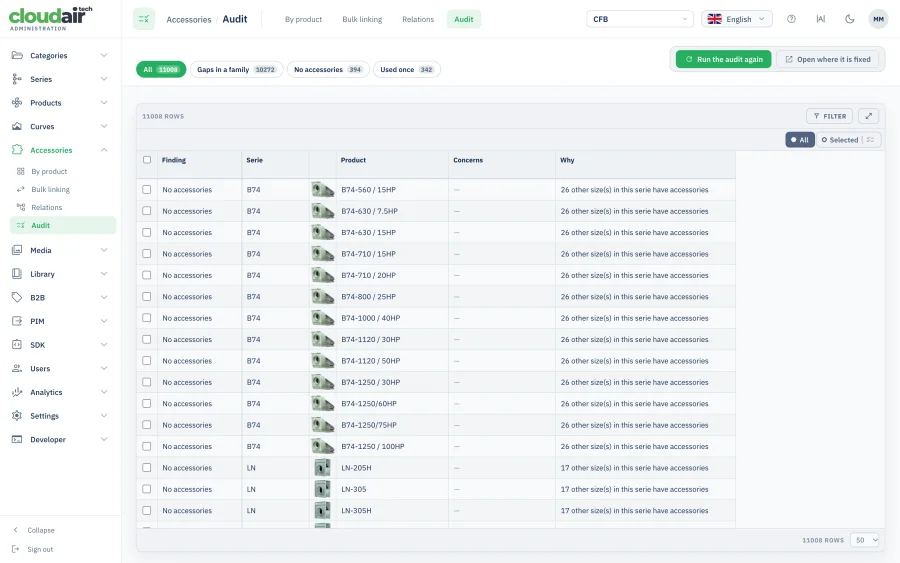
A compatibility check across the range
Two questions answered for every product at once: which ones have no accessories attached at all, and which ones point at accessories that actually belong to a different series.
Both are invisible in day-to-day work and both surface at the worst moment — in a quotation, where a controller that does not fit the fan has already been priced. The audit lists them with the article number and the series each one came from, so the fix is a minute's work instead of an argument with a customer.
Product content in every market you sell to
Texts, interface labels and reusable blocks — three different kinds of content, three places built for them, all translatable.
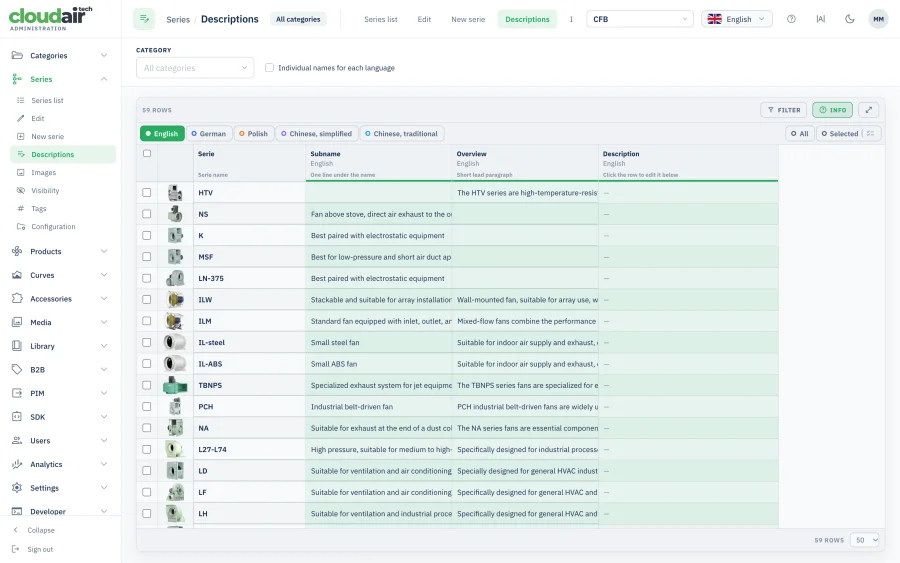
Descriptions per language, side by side
Name, subname, overview and the full description for every language the catalog speaks, laid out next to each other with a real rich-text editor for each instead of one plain box per tab.
Seeing the languages together is the point: a sentence added in English and forgotten in German is obvious at a glance, which is not true of an interface that makes you switch tabs to notice.
One dictionary for the whole interface
Every label the selection software shows — buttons, column headings, tooltips, error messages — in up to seventeen languages, from one central dictionary.
Your catalog's own wording overrides the default wherever it needs to, so “duty point” can become whatever your market actually calls it without forking anything. Change a term once and every screen, datasheet and e-mail picks it up, including the non-Latin scripts.
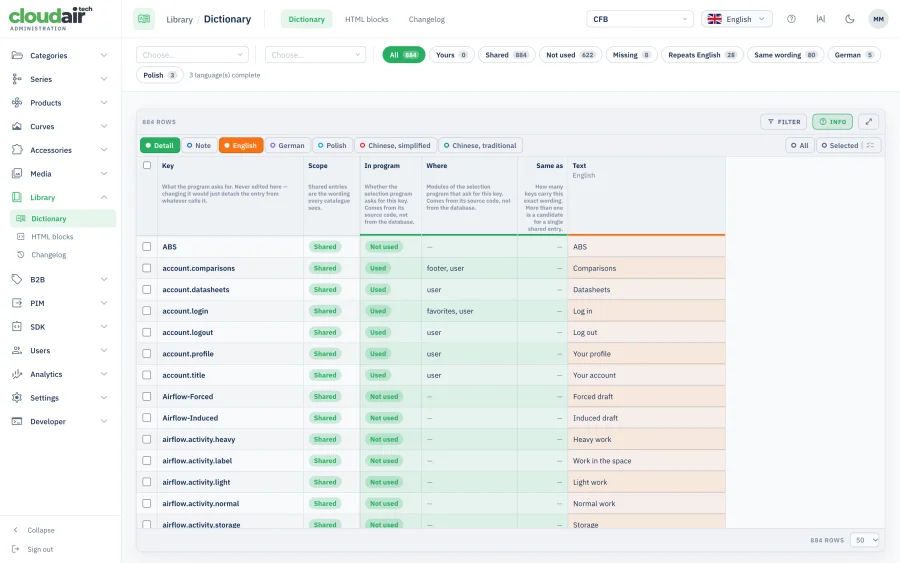
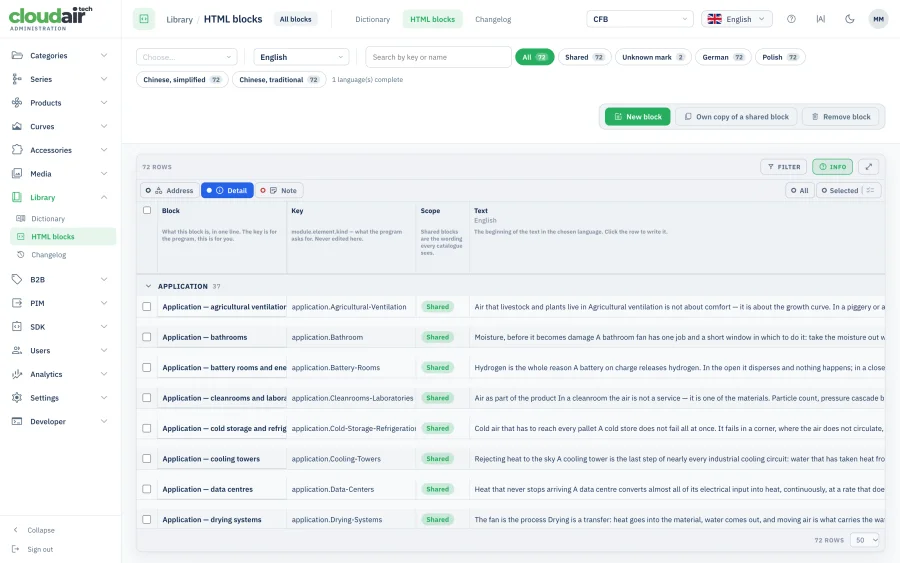
Reusable blocks of content
Formatted blocks — application notes, construction details, warnings, certification wording — written once and attached wherever they belong, with their own key, scope and the module they appear in.
The alternative is the same paragraph pasted into two hundred product descriptions, which is fine until the standard it quotes changes. Here it changes in one place.
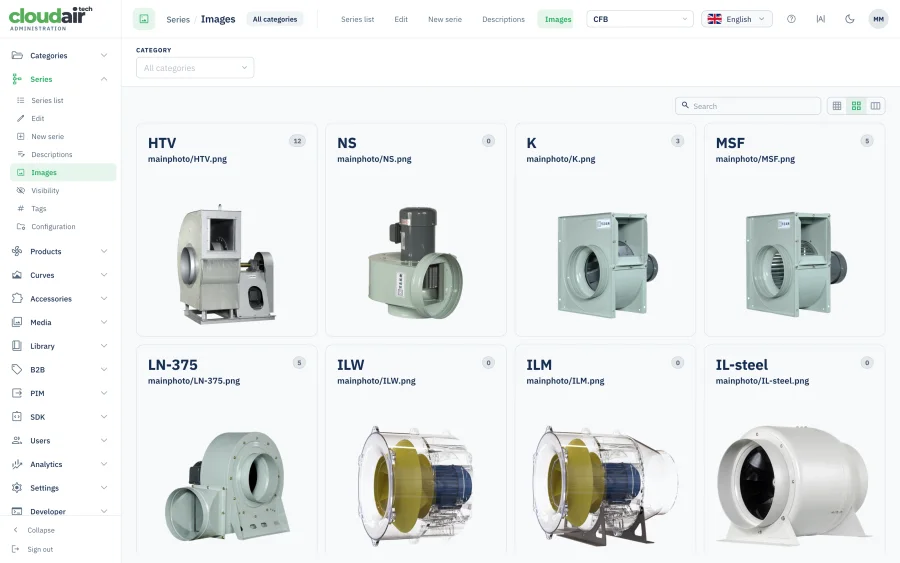
Photography, drawings and documents, attached where they belong
The photography behind a series
Main photo, gallery, dimension drawing and wiring diagram per series, uploaded and arranged in one place, with per-language variants where a market needs its own.
A product's own image always wins over the family's, and the family's fills in wherever a model has none — so a catalog of three thousand models never shows an empty frame, and photographing one new size does not mean touching the other nineteen.
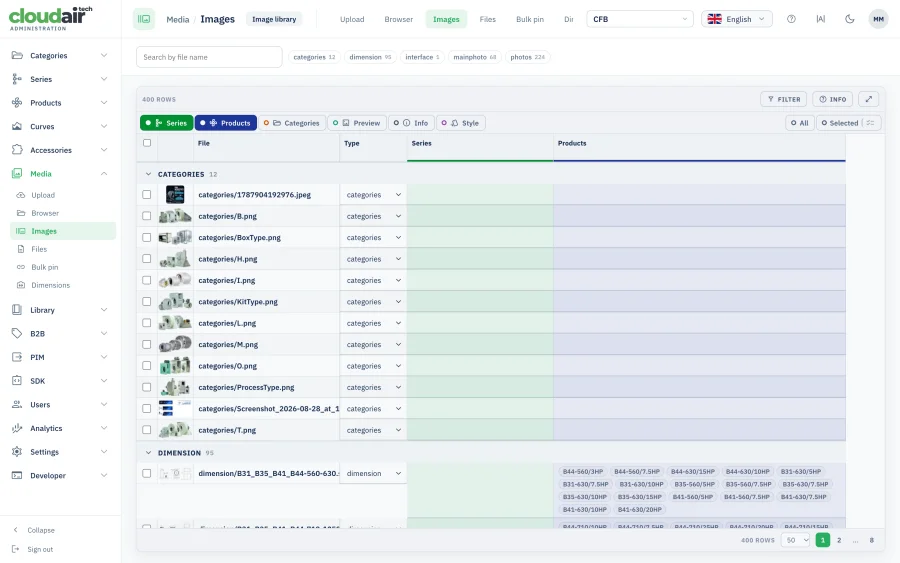
Every image in the catalog, searchable
Images filtered by category, series, type and language, each row showing the products that actually use it and the format it is stored in.
This is where orphans and duplicates surface — the file nobody references any more, and the same photo uploaded three times under three names. Both quietly inflate a catalog and both are invisible from the product side.
Datasheets, certificates and CAD
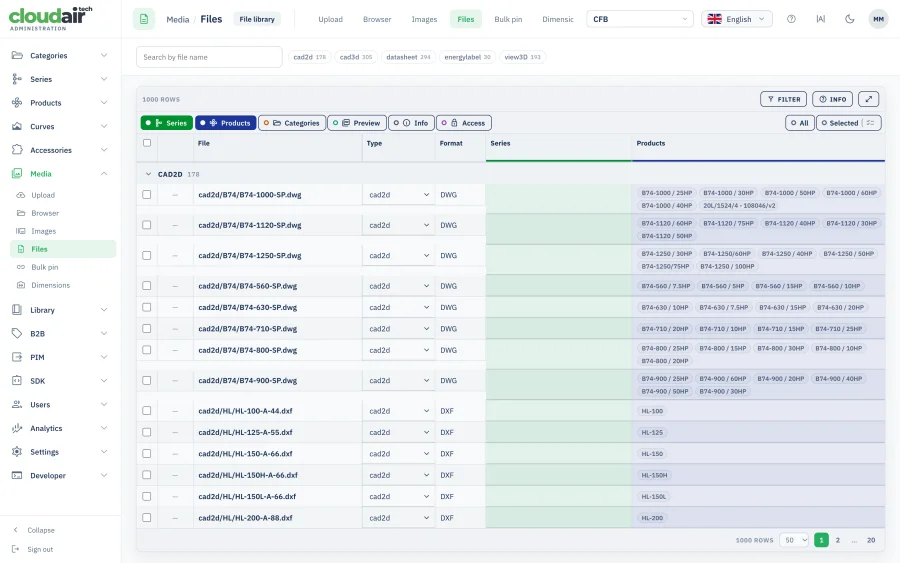
Documents by type, format and language, attached to the products and series that publish them, with the size and the upload date in the same row.
Every file the catalog, the datasheets and the API hand out comes from here, which means a certificate that expired is withdrawn in one place rather than hunted across a website, a PDF generator and a partner's feed.
Prices per market, kept out of the public catalog
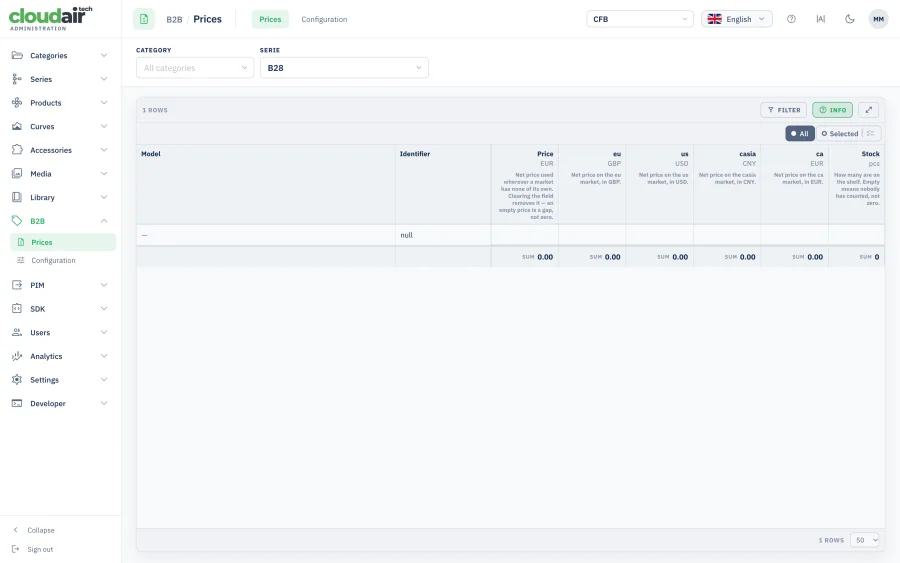
A price column per market and currency
Net price per model with a separate column for every market the catalog serves — each in its own currency — plus the stock figure alongside it, so a quotation sees availability and price in the same row.
An empty price is a gap, not a zero, and the system treats it that way: nothing is ever quoted at nothing. Prices live behind the B2B login and are never part of the public catalog, the datasheets or the API, whatever a key's scope says.
Where the catalog goes once it is right
The same records feed your own selection software, the files your distributors want and the programs other companies write — every route configured here, none of them a separate export script.
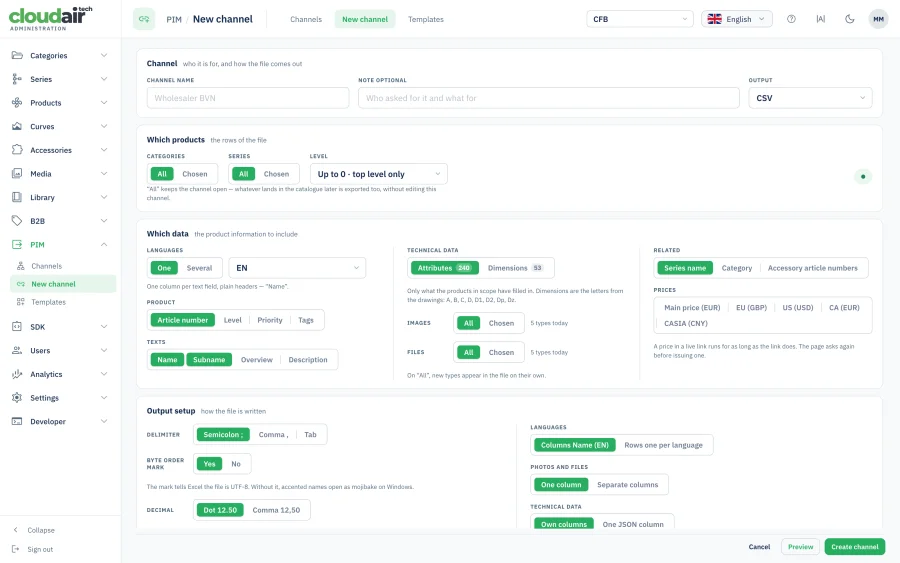
A data channel per recipient
Five decisions on one screen: who the channel is for, which products become the rows, which data becomes the columns, how the file is written, and how it reaches them.
Each one is phrased the way you would explain it out loud — “the rows of the file”, “the product information to include” — and a bar at the bottom shows what the settings actually produce: how many rows, how many columns, how the header begins. Change what the file contains and the channel saves a new version, with a reminder that the recipient's import needs to hear about it.
Templates for the formats partners expect
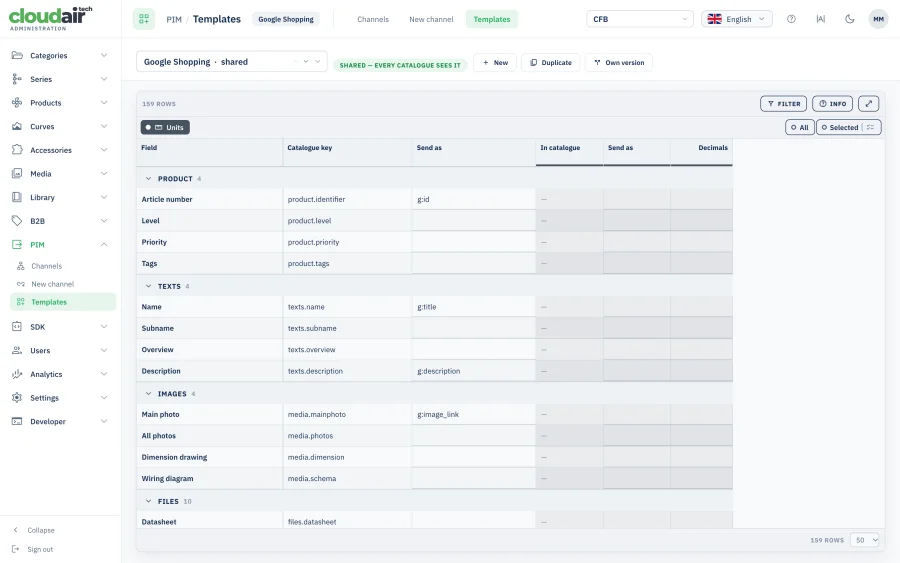
A field-by-field mapping onto a named format: the catalog key on one side, the name the recipient expects on the other, grouped into product, texts, images and files.
The Google Shopping template maps sixty-one catalog keys onto their field names and is shared across every catalog on the platform; duplicate it, adjust the handful of fields a particular partner wants differently, and the next recipient is set up in minutes rather than in a spreadsheet nobody maintains.
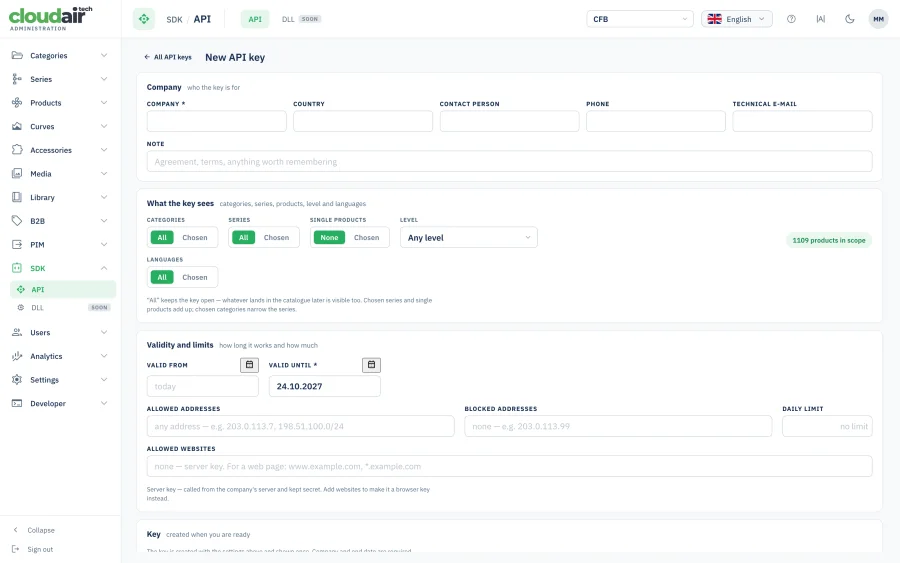
An API key per company
Company, country, contact person and technical e-mail at the top; what the key may read in the middle — categories, series, single products, access level and languages, with a live count of how many products that scope actually covers; validity and limits at the bottom.
End date is required, so no key outlives its reason to exist. Addresses can be allowed or blocked, a daily call limit stops one partner's runaway loop, and a browser key lists the websites it works on while a server key is refused from web pages entirely. The key itself is shown once, at creation, and never again.
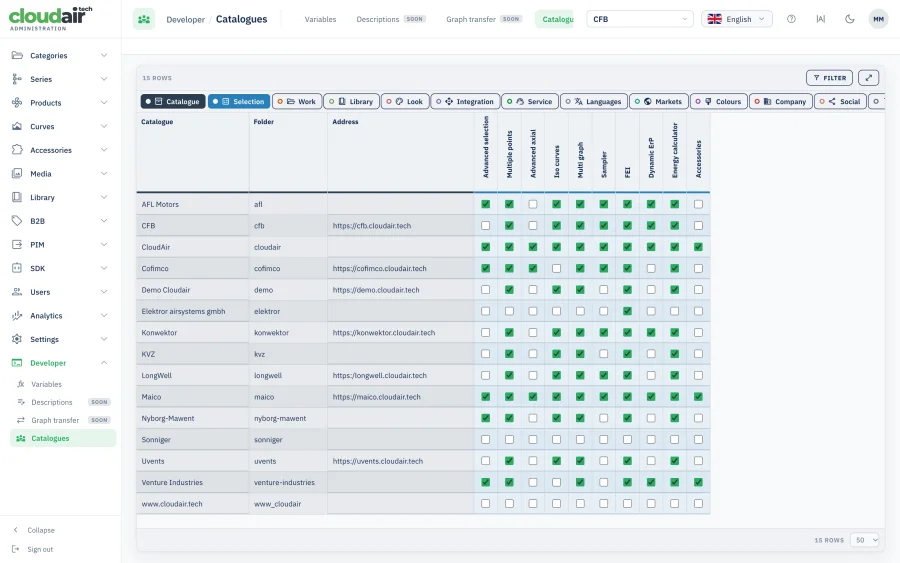
Which modules each catalog runs
A matrix of catalogs down one side and modules across the top, with a tick where a feature is switched on.
Turning on comparisons, dark mode, the energy calculator or the API for one client is a click in this grid, not a branch and a deployment. It is also the fastest honest answer to “what is this customer actually paying for”.
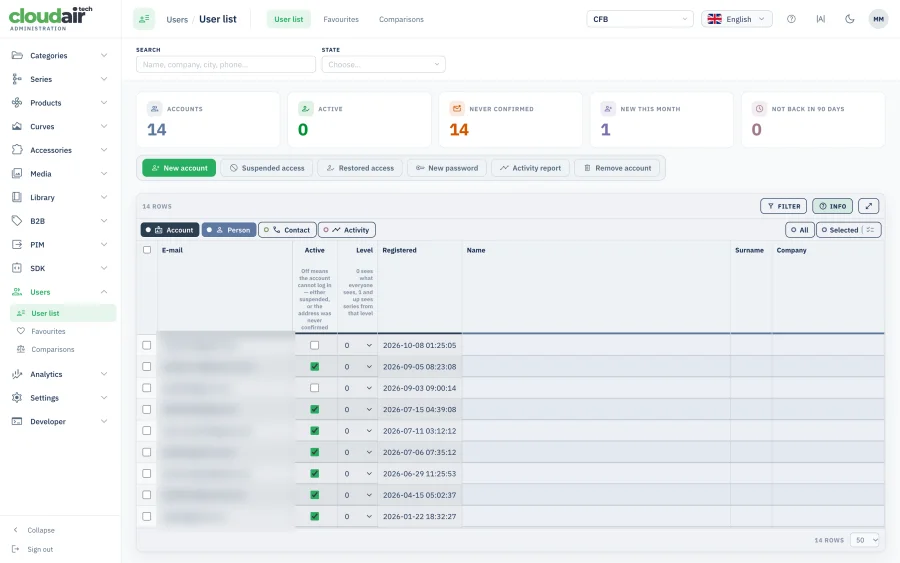
Accounts, and what they do with the catalog
Your customers' accounts and your own administrators, together with the work they leave behind. Everything that identifies a person is blurred on these screenshots.
Customer accounts
Headline numbers first — how many accounts exist, how many are active, how many never confirmed their address, how many arrived this month and how many have not come back in ninety days — then the accounts themselves.
Each row carries the access level that decides which series that customer can even see, so a distributor and a walk-in visitor can share one catalog and still get different ranges. Suspending access, restoring it, issuing a new password or pulling an activity report are buttons here, not a request to somebody technical.
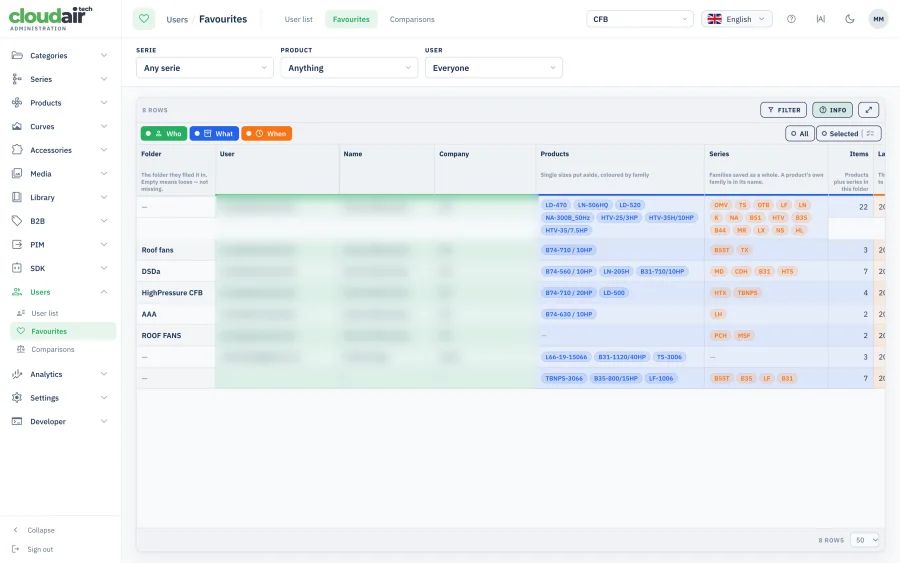
What customers saved
The folders your customers file products into, with the products and series in each one and how many items it holds.
It is the least filtered signal you have about demand: not what they searched once, but what they came back to and kept. A folder named after a project tells you more about the next order than any form on the website.
What they put side by side
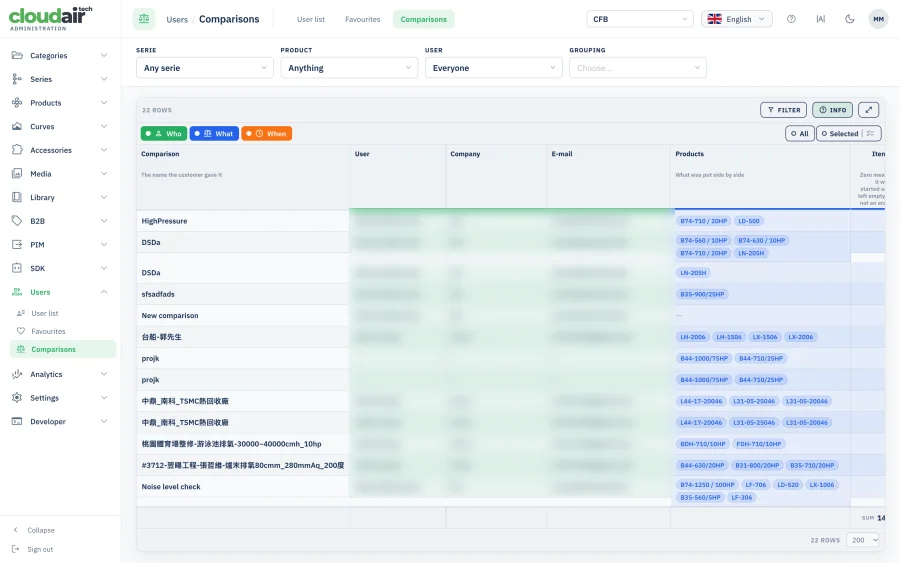
Saved comparisons with the products in each one, who built it and when.
Which of your models compete with each other in a customer's head — and which of your models they are comparing against each other instead of against a competitor. That is a product decision you cannot reach from sales figures alone.
Your own administrators
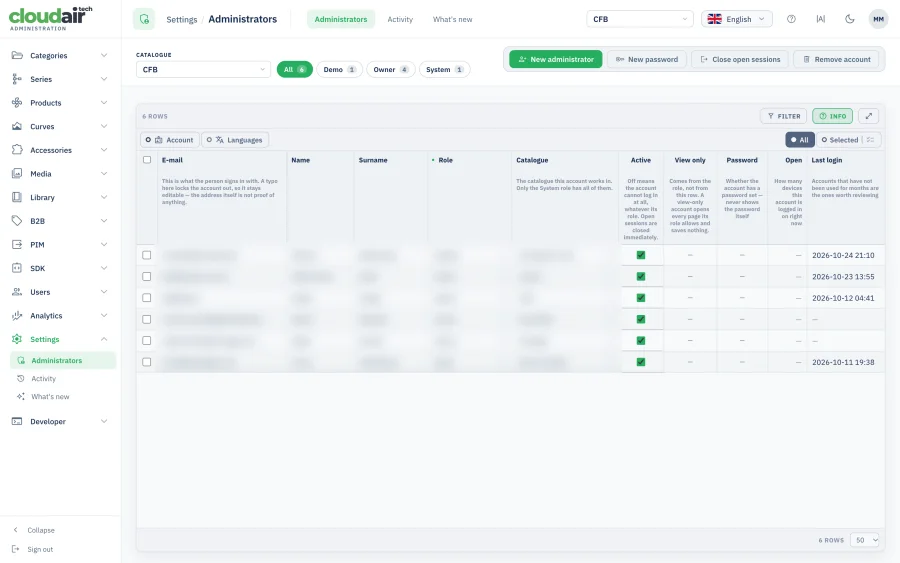
Accounts, roles and the catalog each person works in, with a note of whether the account is view-only, whether a password is set, how many devices have it open right now, and when it was last used.
Open sessions can be closed from here, and accounts that have not been touched in months are the ones the list puts in front of you. The System role is the only one that reaches every catalog; everyone else is bound to theirs.
Nothing happens in the catalog without a trace
Who looked, who searched, who changed what — and how to get back to how it was.
Sessions over time
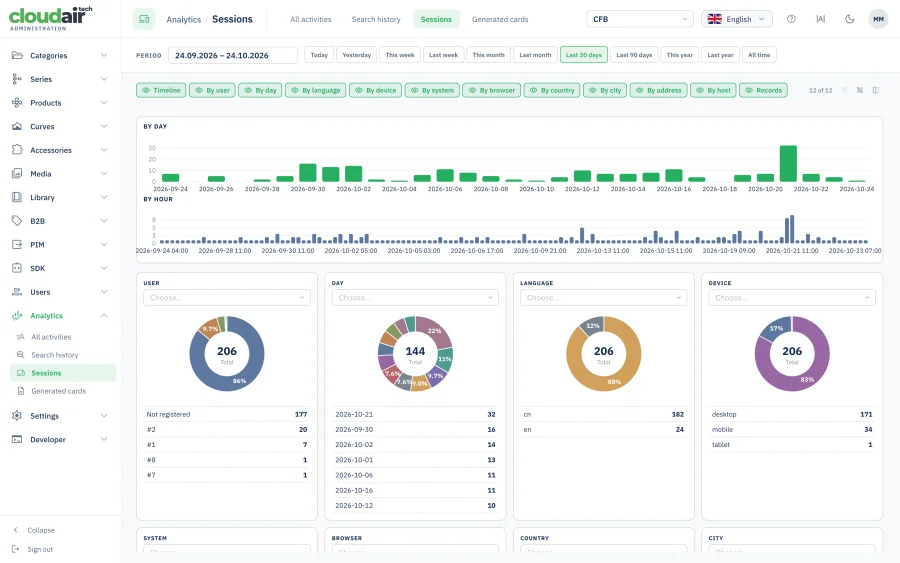
How the catalog is actually used: sessions day by day, split by language, country and device, with the totals beside the trend.
The useful readings are the ones nobody asks for — a market that was supposed to be dormant turning up every Tuesday, or a language version that has never once been opened.
What customers searched for
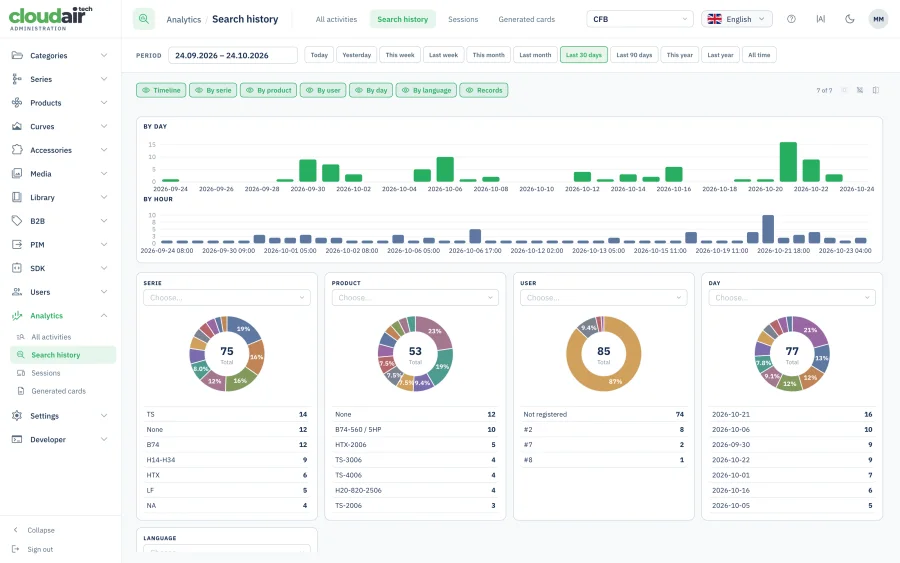
The duty points and terms people entered, how often, and in which language — including the searches that returned nothing.
The empty results are the valuable half: a map of the holes in your range, drawn by the people who wanted to buy something you do not make, or could not find something you do.
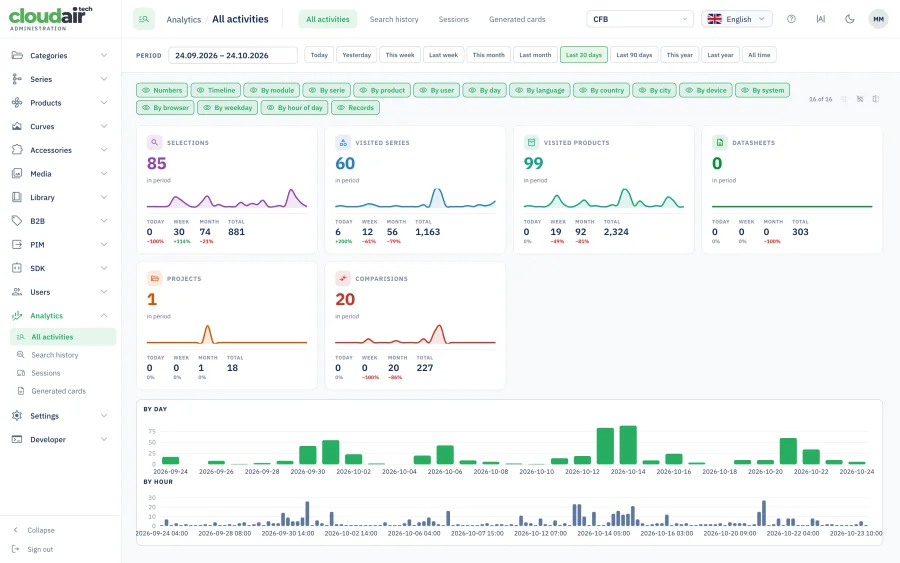
Every activity in one place
Selections, datasheets, comparisons and downloads counted together over the period you pick, with the day-by-day shape underneath each number.
Catalog activity moves weeks before sales figures do. A month that goes quiet here is a warning you can still act on; the same month in the sales report is a post-mortem.
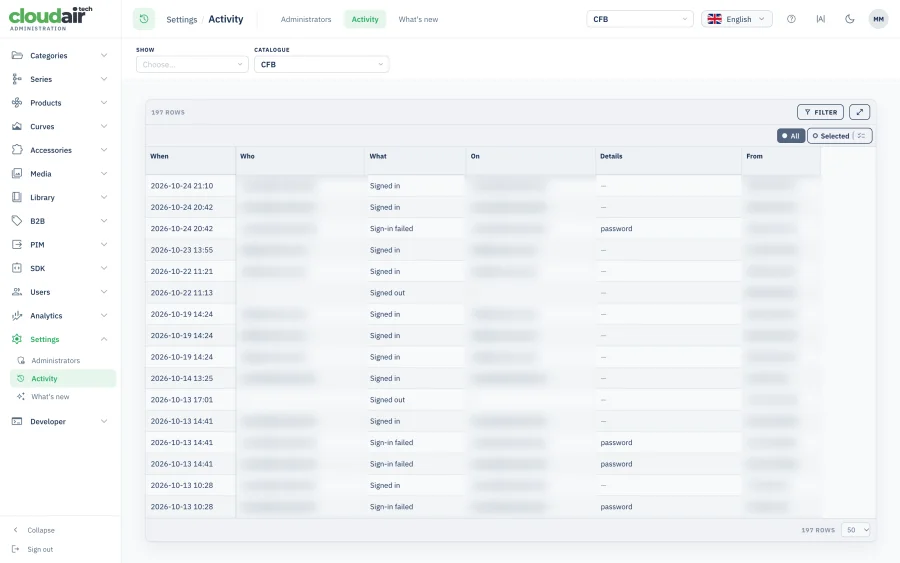
The sign-in record
Every sign-in, sign-out and failed attempt, with the account, what was tried, and the address it came from.
Kept for exactly the moment somebody asks what happened to an account — a password that stopped working, a login from an address nobody recognises, a session left open on a machine in a hotel.
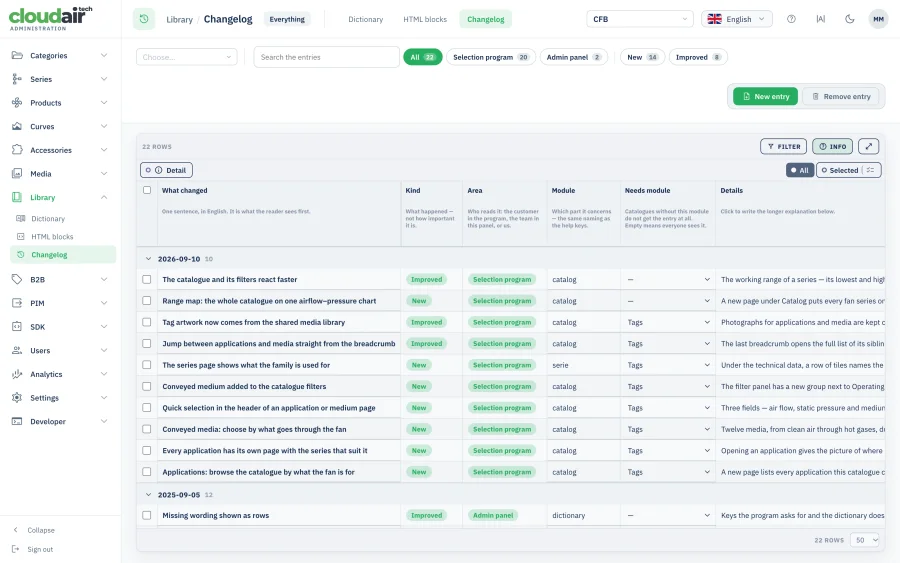
What changed, and when
The catalog's own changelog, written as the work happens, with the date, the area and the module each entry belongs to.
When a customer asks why a figure moved between two quotations, this is the answer, and it exists because it was written at the time rather than reconstructed afterwards.
Entered once here, published everywhere else
The administration system is also where you decide who outside the company gets which part of the catalog, and in what shape.
Your online catalog
The fan selection software your customers use reads these records live, with the modules you switch on.
Data channels per partner
A CSV, XML or JSON file shaped for one recipient, set up as a data channel.
API keys per company
Each integrator gets a key with its own assortment, languages, dates and limits, and every call is logged.
Selection from other software
Partners run your selection engine from their own application through the HVAC selection API.
Common questions about product data administration
What is a product data administration system?
It is the application a manufacturer works in to build and maintain its own catalog — entering technical parameters, drawing performance curves, attaching acoustics, drawings, files and translations, approving changes and publishing them. The database stores the data; the administration system is where people put it there and keep it right.
How is this different from your PIM?
They are two sides of the same platform. The PIM is the structured database and everything it feeds — catalog, datasheets, API, website. This page is about the working environment on top of it: the grids, curve editors, drafts, history and media library your team spends its day in.
Can our own team edit performance curves, or do you do it?
Both, and you choose. Curves for a whole series can be checked side by side and adjusted in bulk, or opened one at a time and corrected point by point — static pressure, power, speed, noise. We import and set up the first version; from there it is yours to maintain.
What happens when somebody makes a mistake?
Every change is timestamped and attributed to the administrator who made it, with the previous value kept next to the new one, and any change can be rolled back. Nothing is overwritten silently.
Can we prepare changes before they go live?
Yes. A product can be edited as a draft, reviewed and only then published, so a half-finished series is never visible to customers or to the programs reading your catalog.
In how many languages can product content be kept?
Product descriptions are edited side by side per language with a full rich-text editor, and the interface itself is translated from one global dictionary across up to 17 languages — change a label once and it updates everywhere, including non-Latin scripts.
Where does the data go once it is in the system?
To your online catalog and PDF datasheets, to partners as a data channel or an API key, and to integrators calling the selection API from their own software — all from the same records, so nothing drifts apart.