


Fan Selection Software for CFB
A complete, cloud-based fan selection platform built for CFB Fan and Blower Corp., a Taiwanese manufacturer of industrial fans — from parametric selection to dynamic ErP 2026 compliance checking.

About this program
CFB Fan and Blower Corp. is a Taiwanese manufacturer of industrial centrifugal fans and blowers, serving HVAC, ventilation and process industries worldwide. They needed a selection program that could match the depth of their catalog — dozens of series, each with a wide range of motor and drive configurations — while keeping every selection compliant with the latest efficiency regulations.
We built them an innovative, cloud-based fan selection program covering the full catalog, parametric fan selection, side-by-side comparisons, client project management, and a shared file and media library. Every operating point is checked live against the Fan Energy Index and the ErP 2026 directive, with FEI isocurves plotted directly on the performance chart — so compliance is never a separate step. The platform also includes a full administrative system for CFB's own team to manage products, files and users.
A closer look
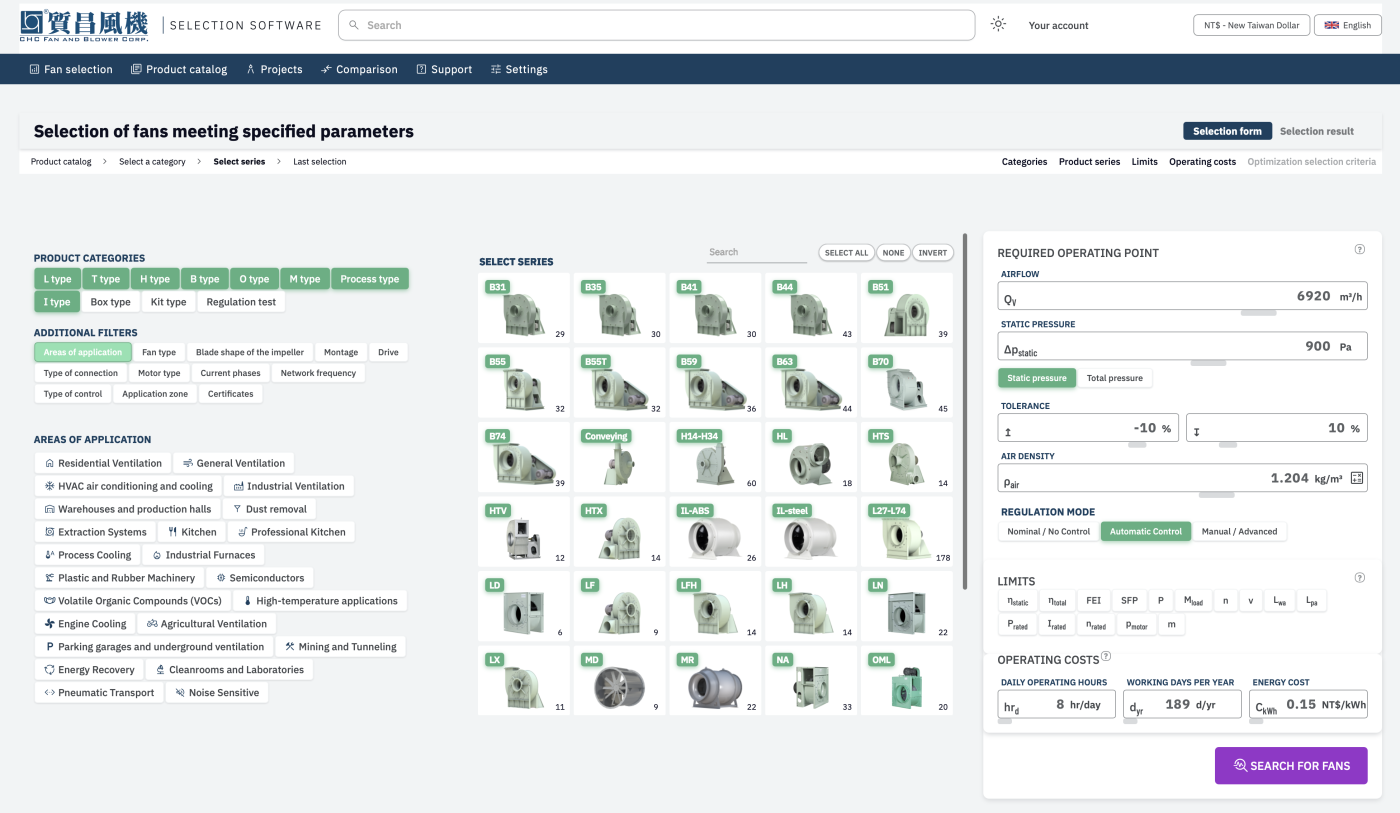
Parametric fan selection
Fan selection by required operating point — airflow, static pressure, tolerance and control mode, filtered by category and area of application.
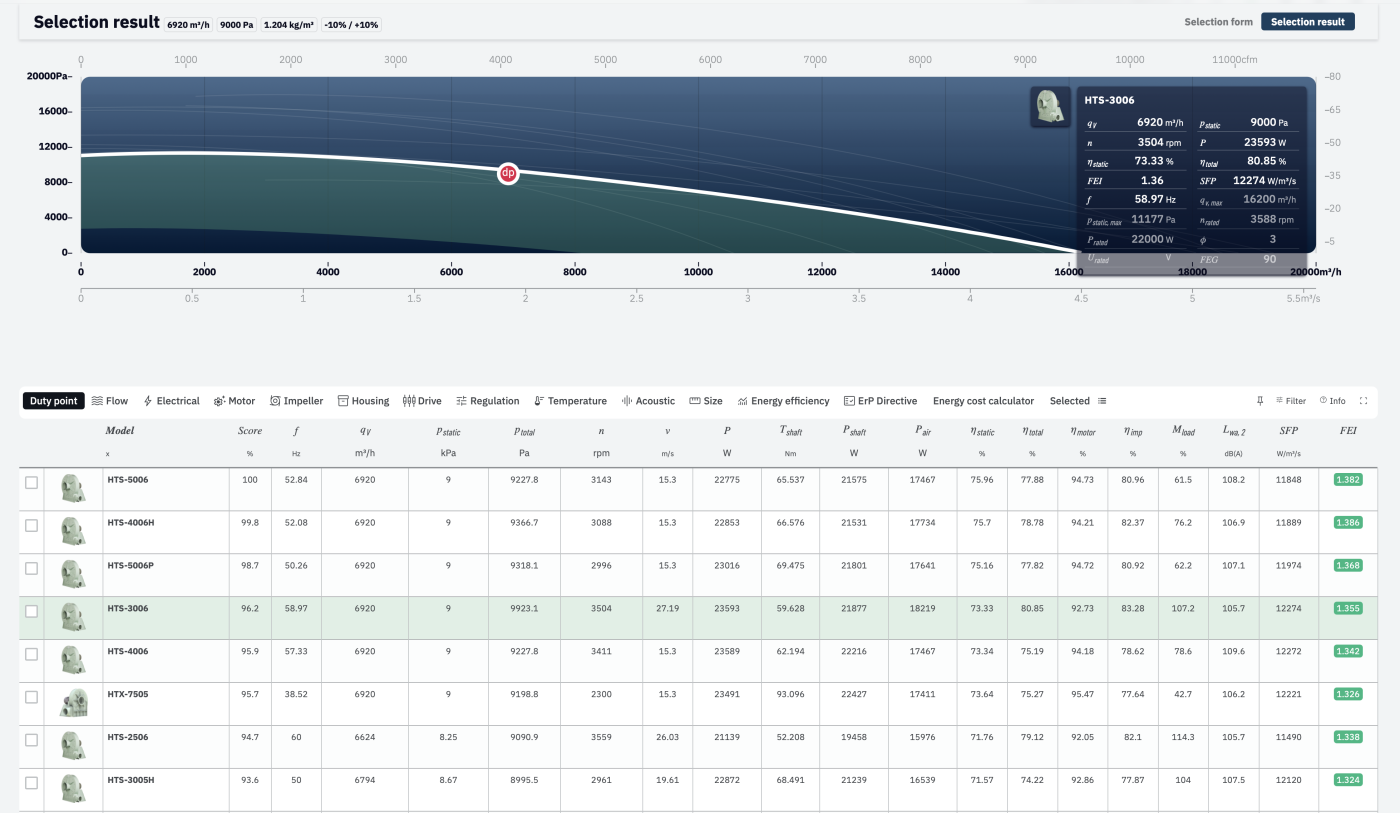
Ranked selection results
Selection results — every matching model ranked by score, with FEI shown alongside flow, pressure, efficiency and sound power for each.
FEI, power & ErP isocurves
The operating point plotted against power, FEI and ErP isocurves at once — compliance is checked live, not as a separate step.
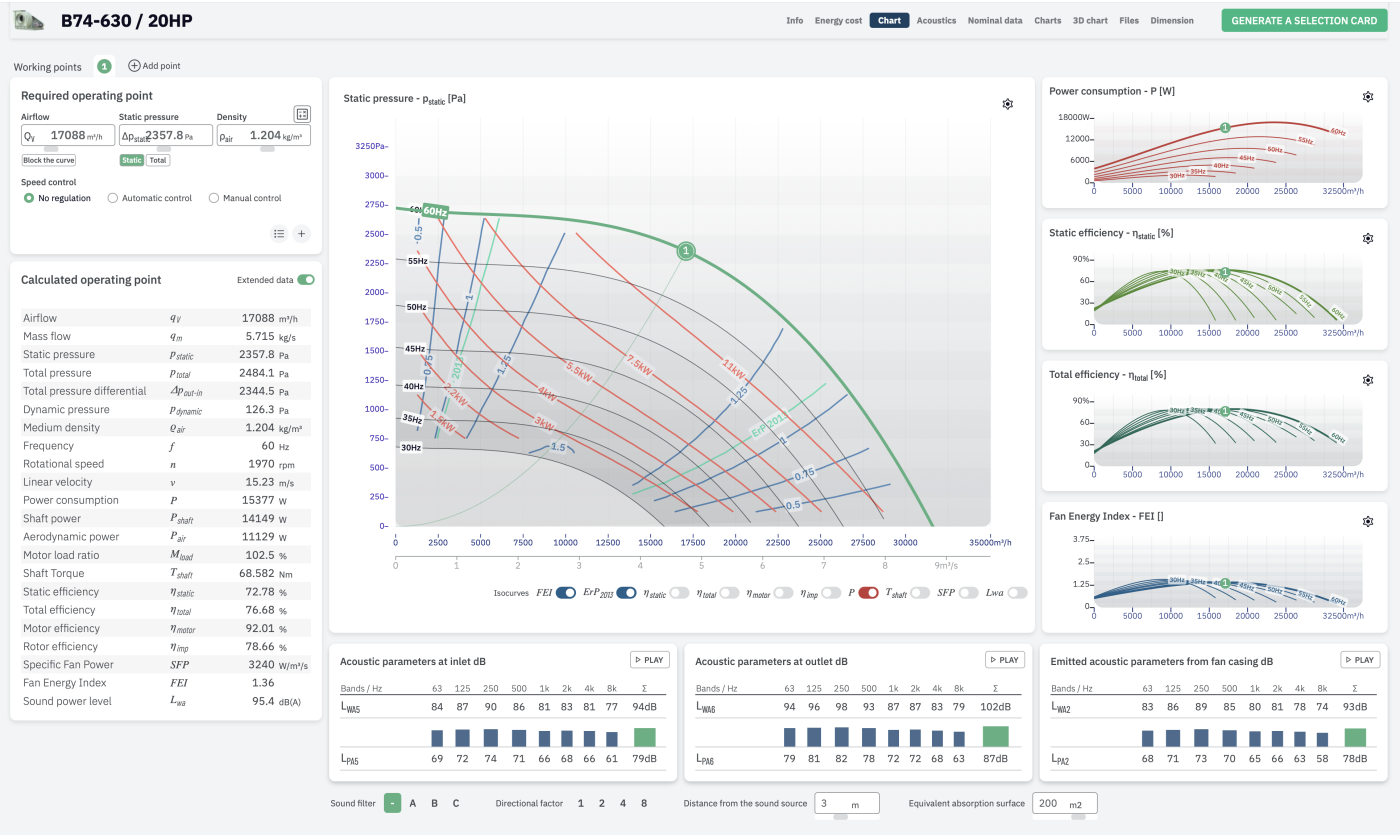
Full series performance curves
Full series performance curves — power, static and total efficiency, and FEI charted across every frequency from 30 to 60 Hz.
Built-in technical glossary
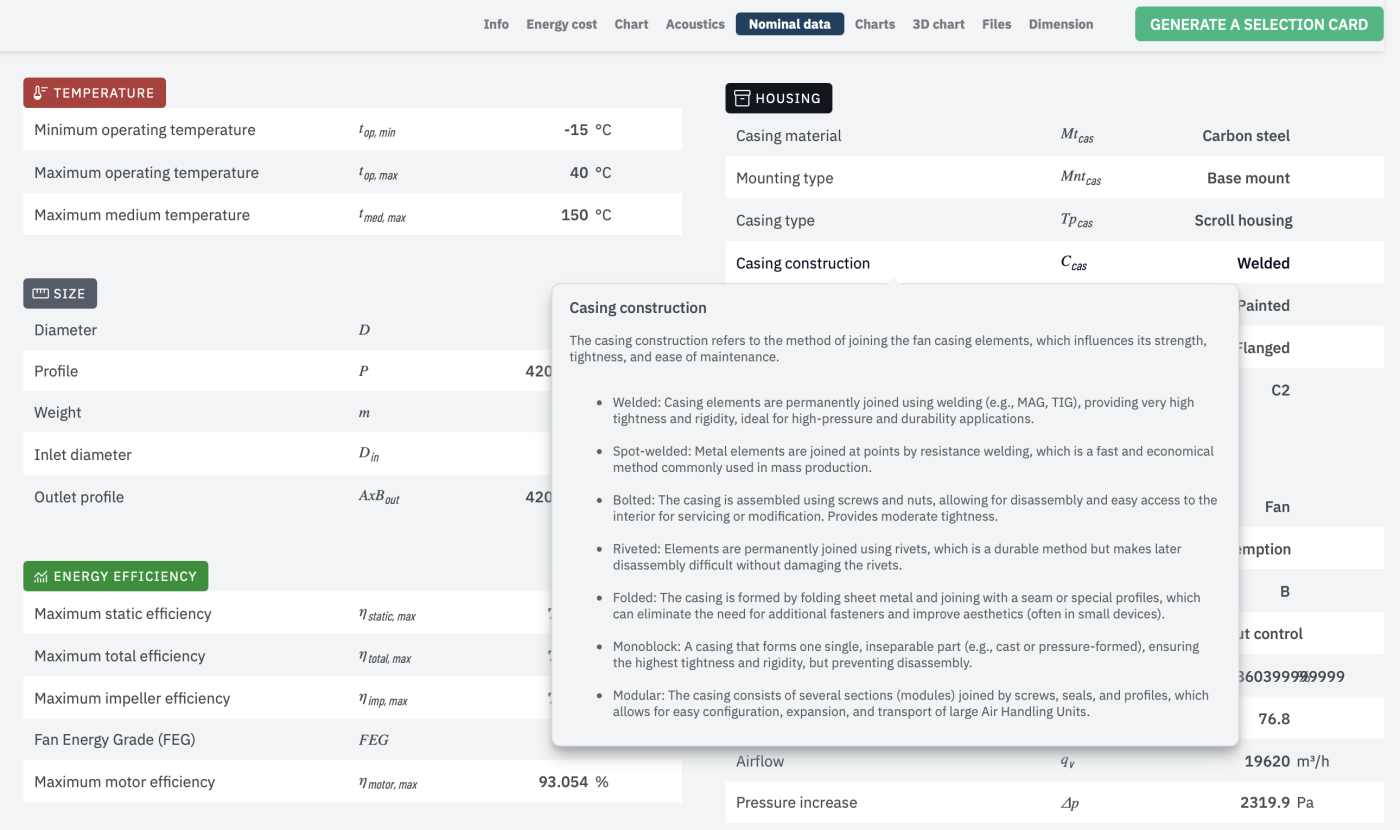
A built-in technical glossary — every parameter, like casing construction, explained inline so engineers never have to leave the page.
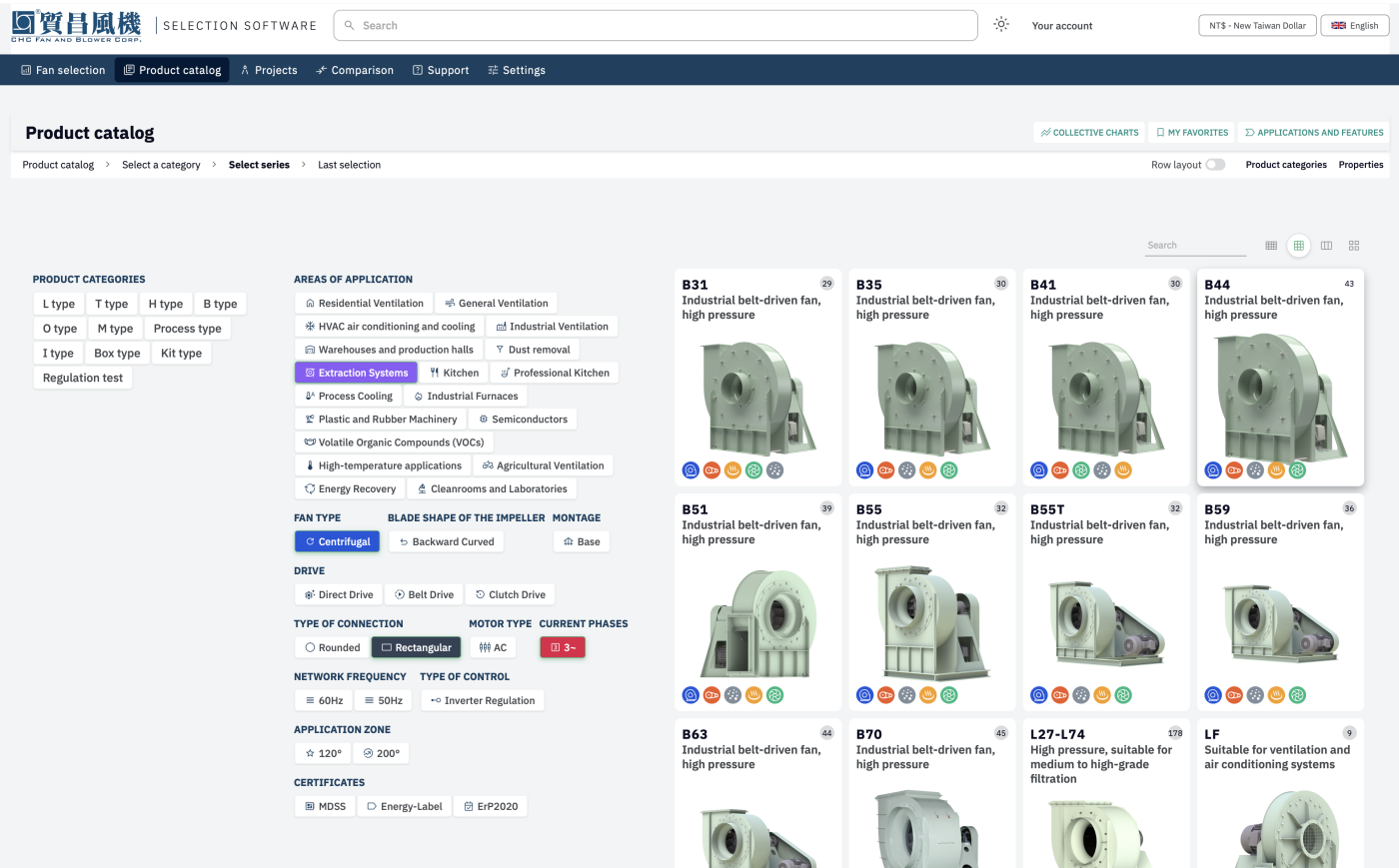
Product catalog
The product catalog — filterable by category, area of application, fan type, drive, connection type and certificates.
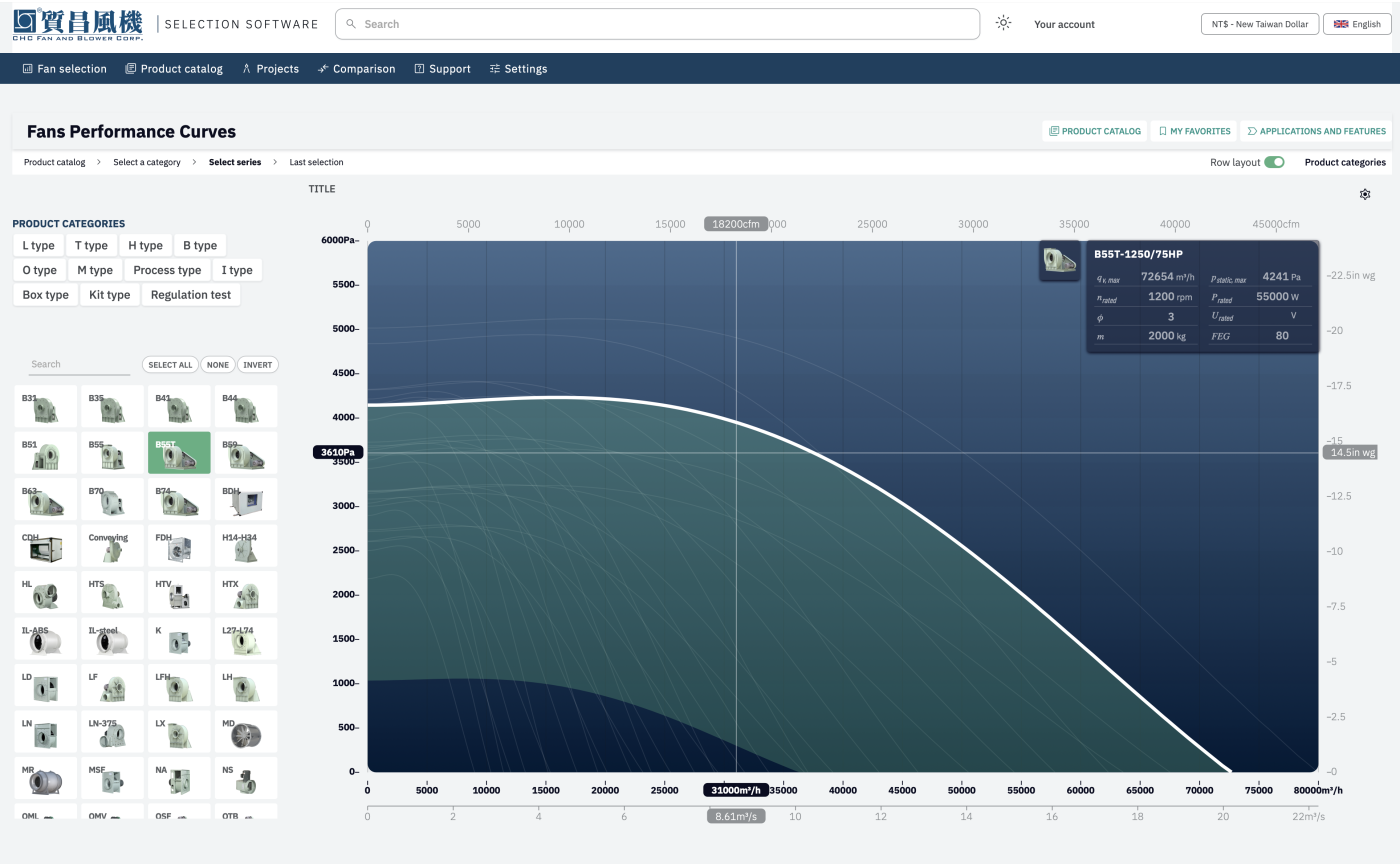
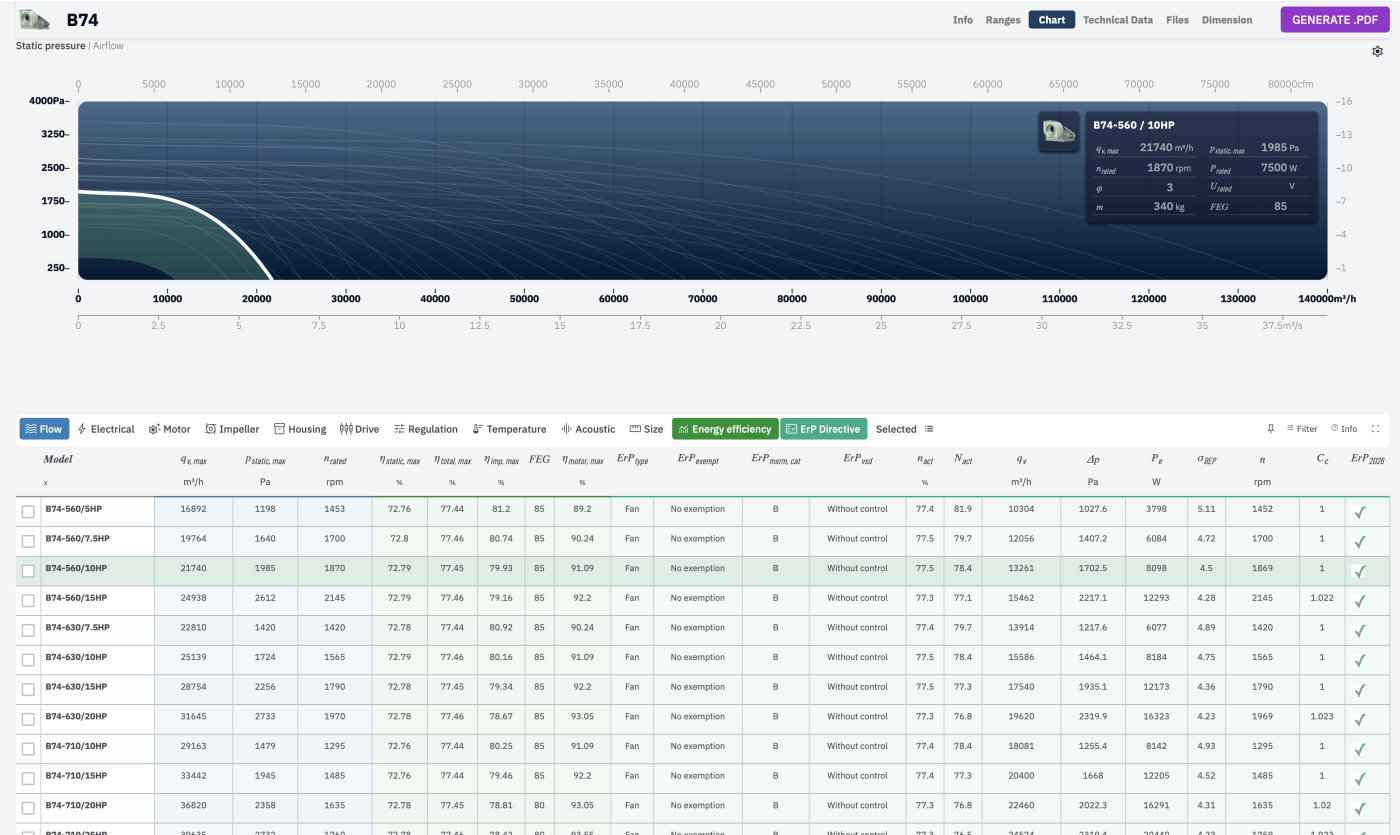
Series chart with full technical data
The performance chart for a whole series, with every model's complete technical data — flow, pressure, speed, power and efficiency — in the table right below it.
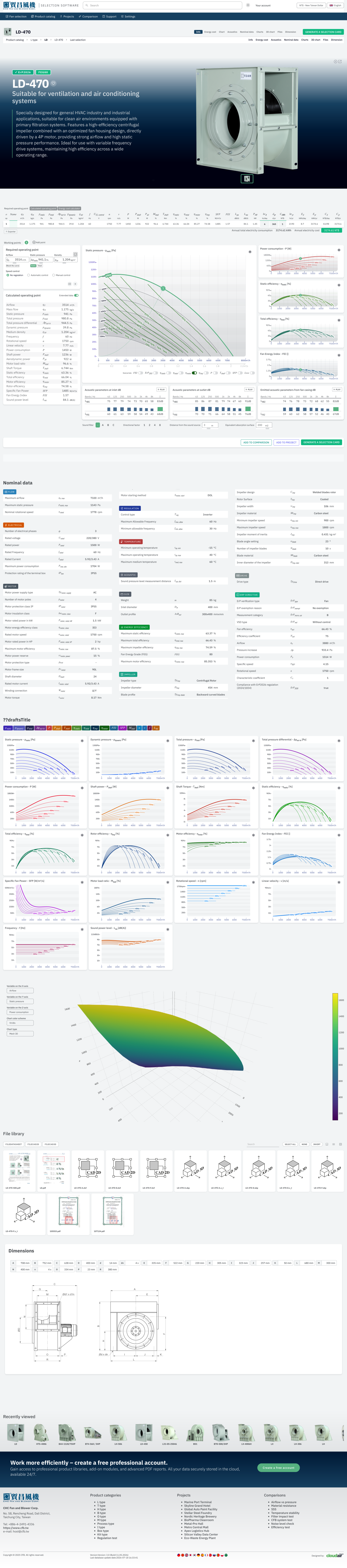
Individual product page
An individual product page — description, live performance charts, nominal data, file library and dimensions in one place.
3D product viewer
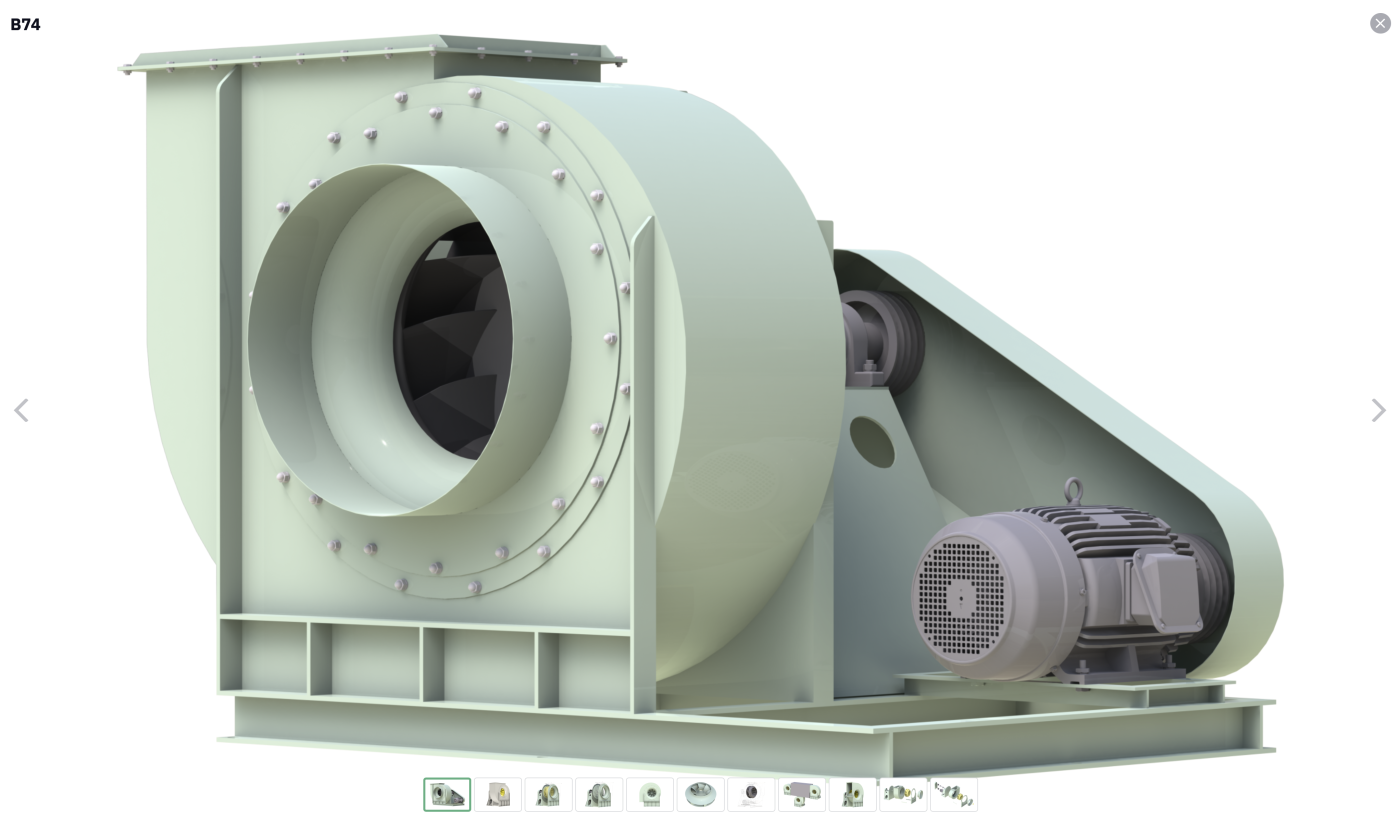
A rotatable 3D product viewer — inspect the impeller, housing and motor mount from every angle, including exploded views.
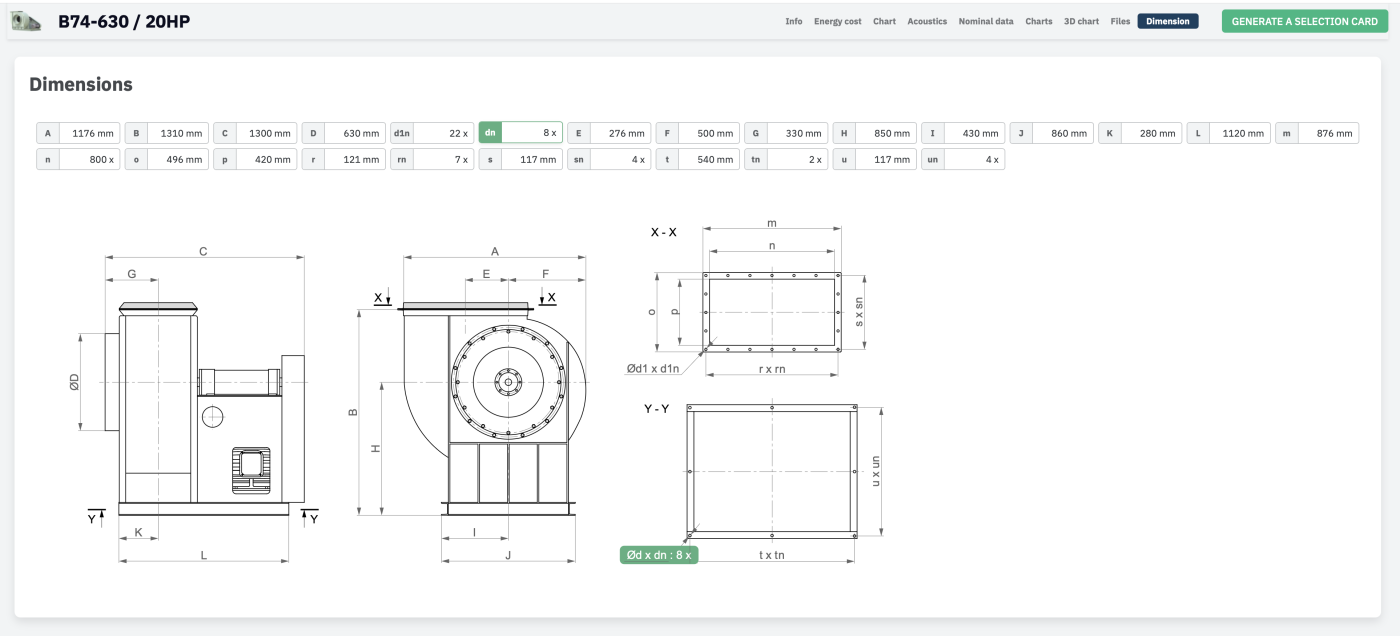
Interactive dimensions
Interactive dimension diagrams — every labelled dimension pulls its live value straight from the selected model.
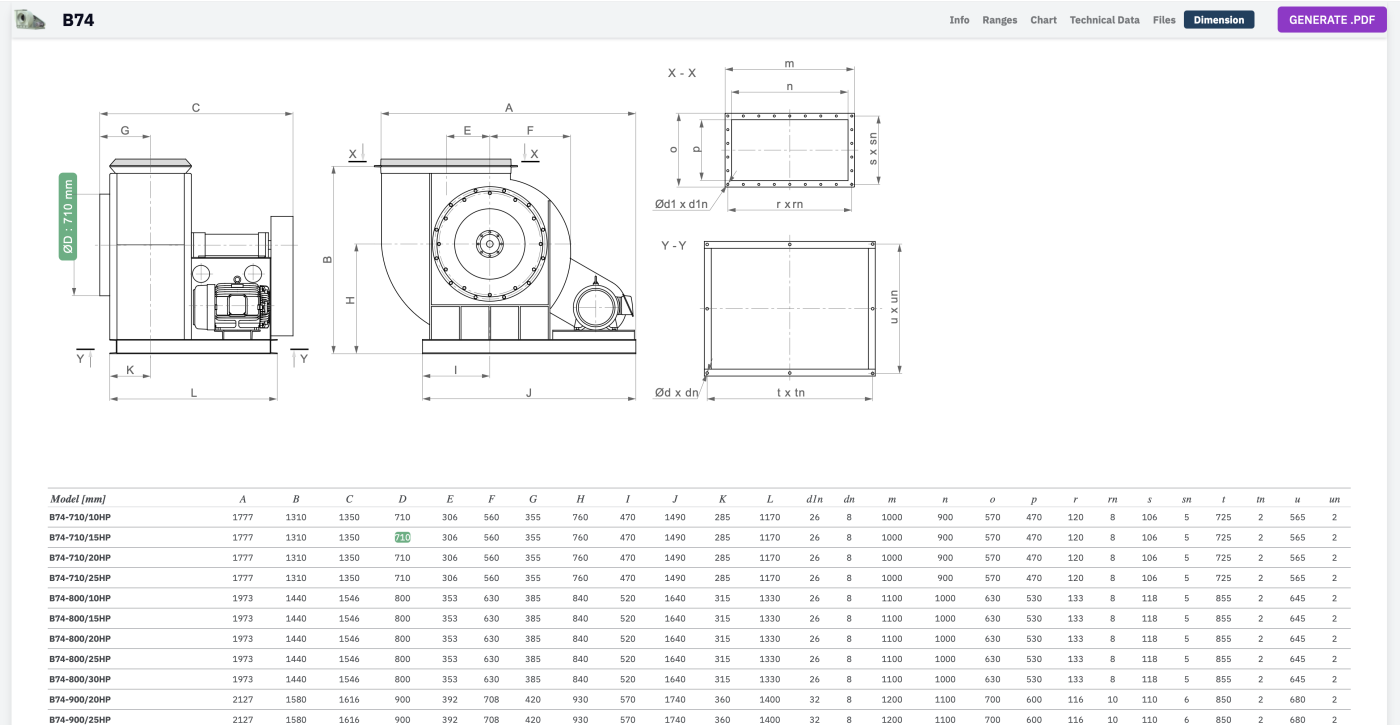
Full dimension tables
The full dimension table for a series — every horsepower variant, side by side, ready to drop into a drawing.
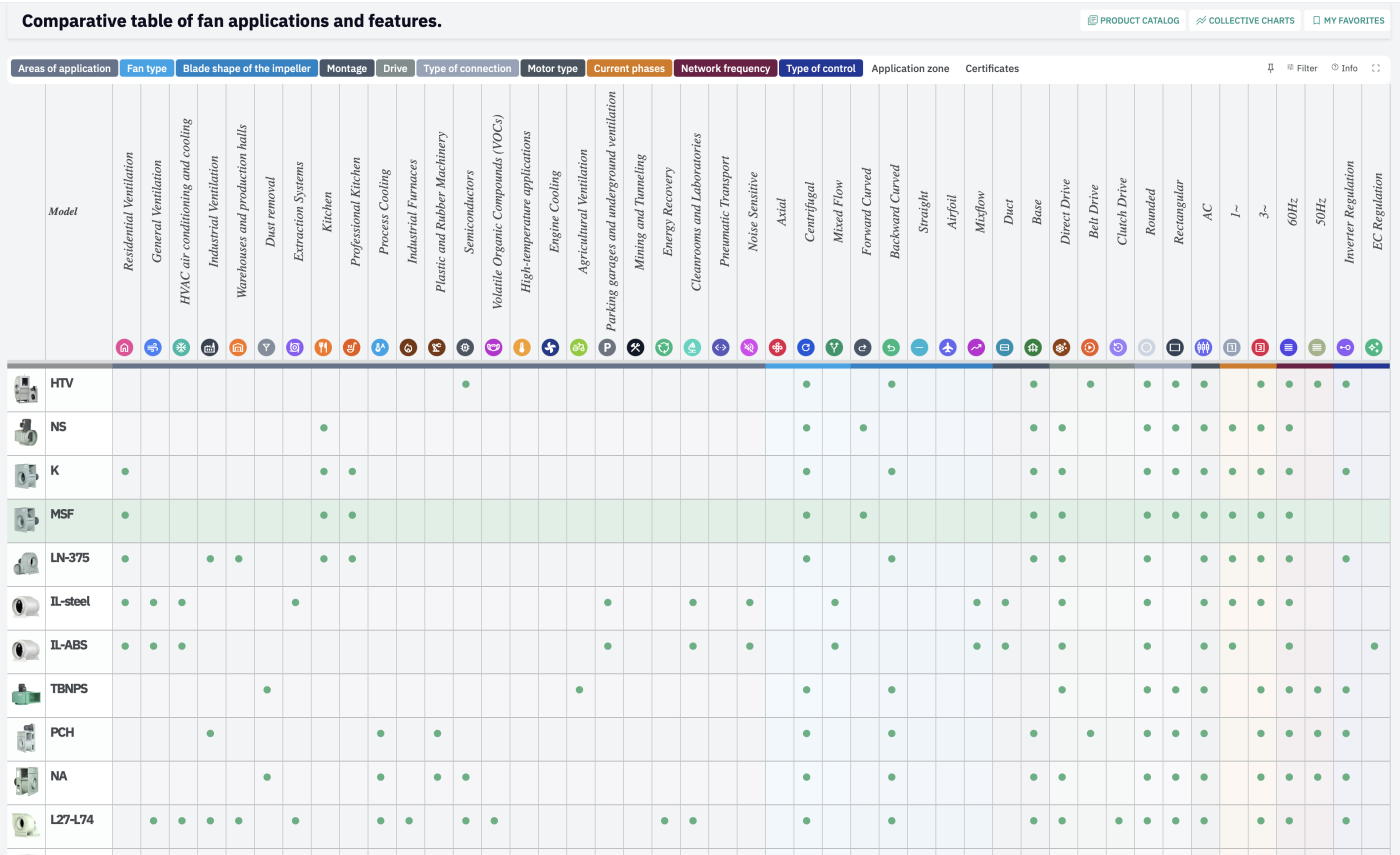
Applications & features matrix
A comparative table cross-referencing every series against areas of application, fan type, drive, connection and certification.
Side-by-side comparison
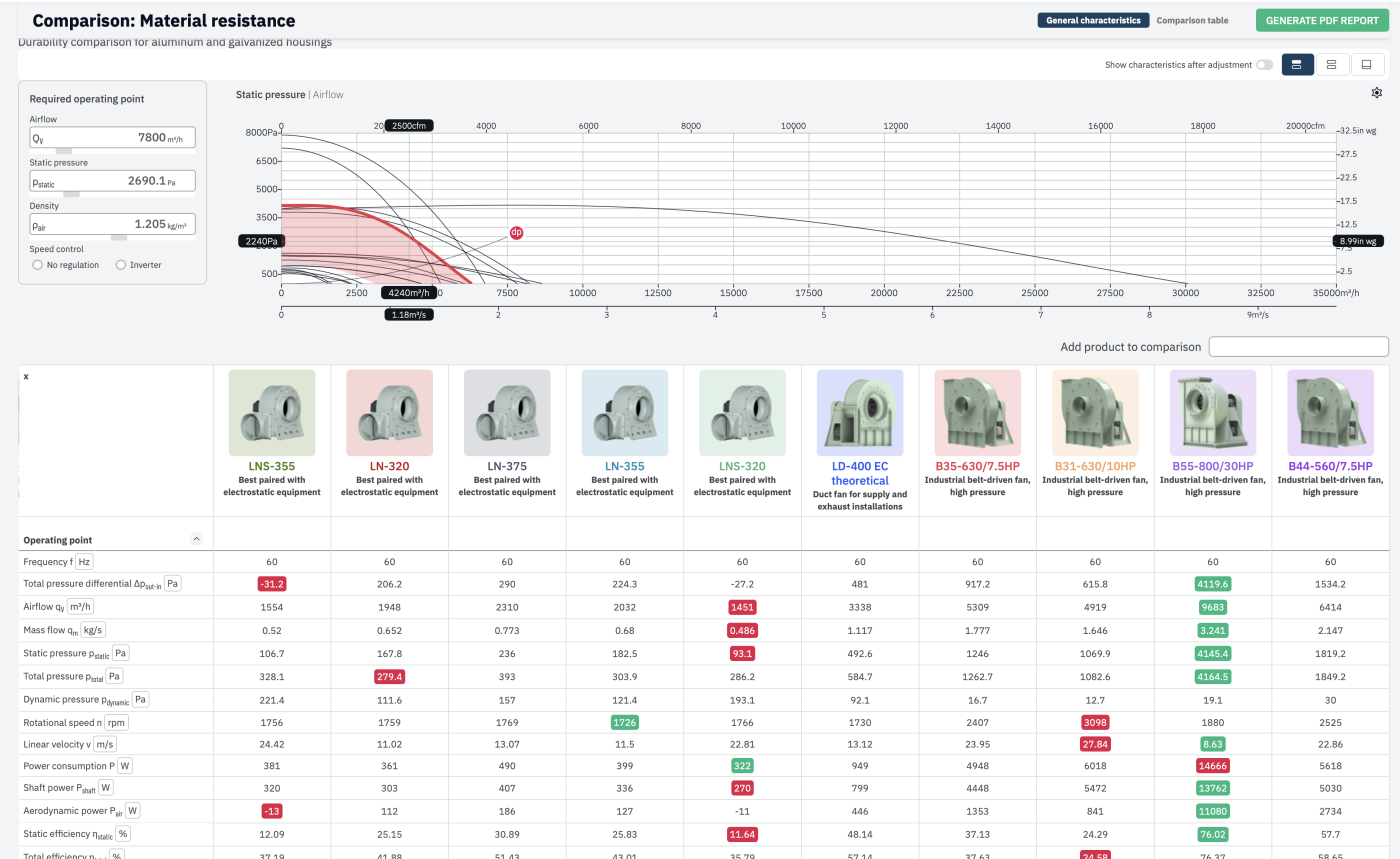
Side-by-side comparison of up to ten products at once, with the shared operating point and full spec table overlaid.
My Favorites
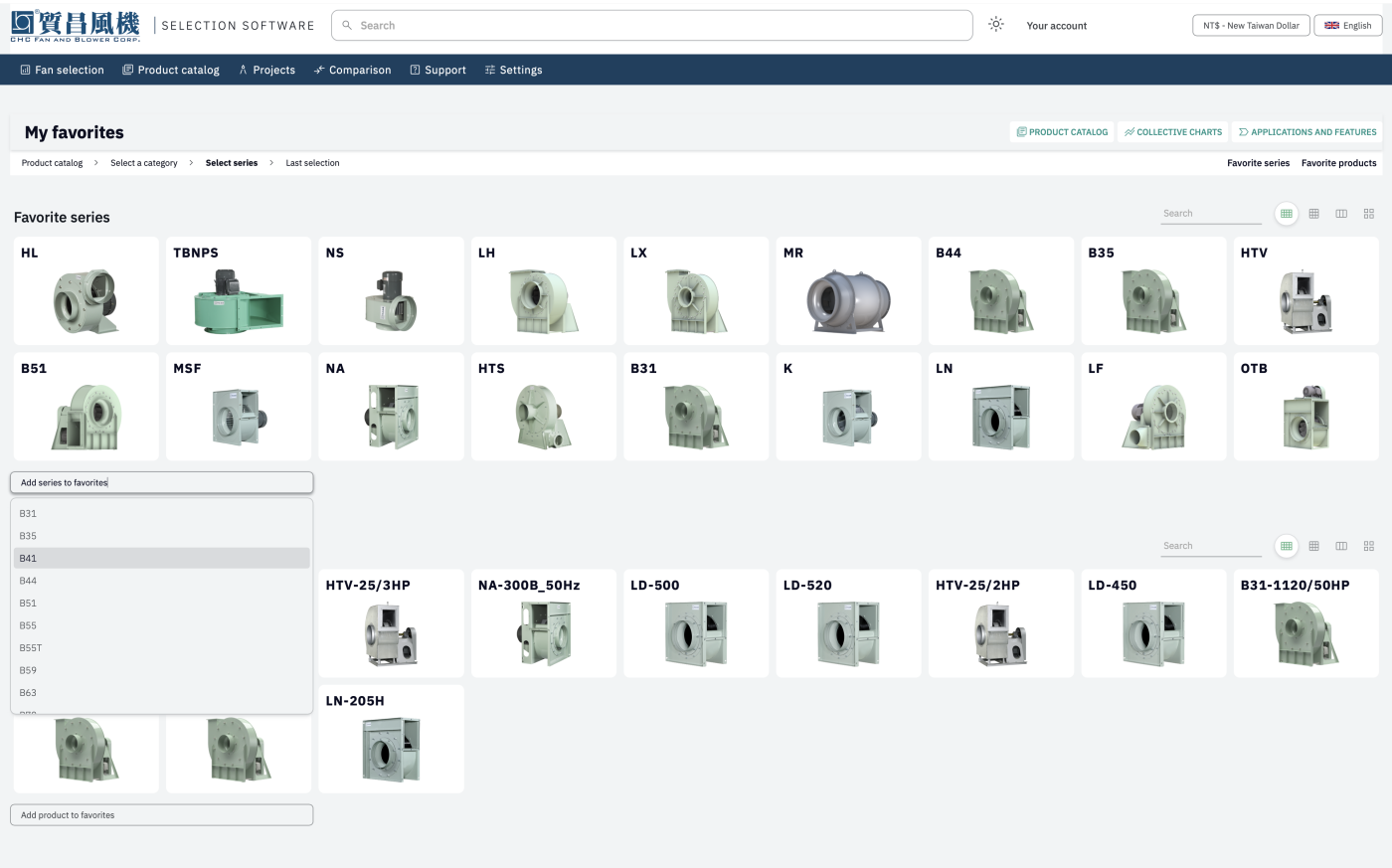
My Favorites — series and individual products saved for quick access on the next project.
Instant search
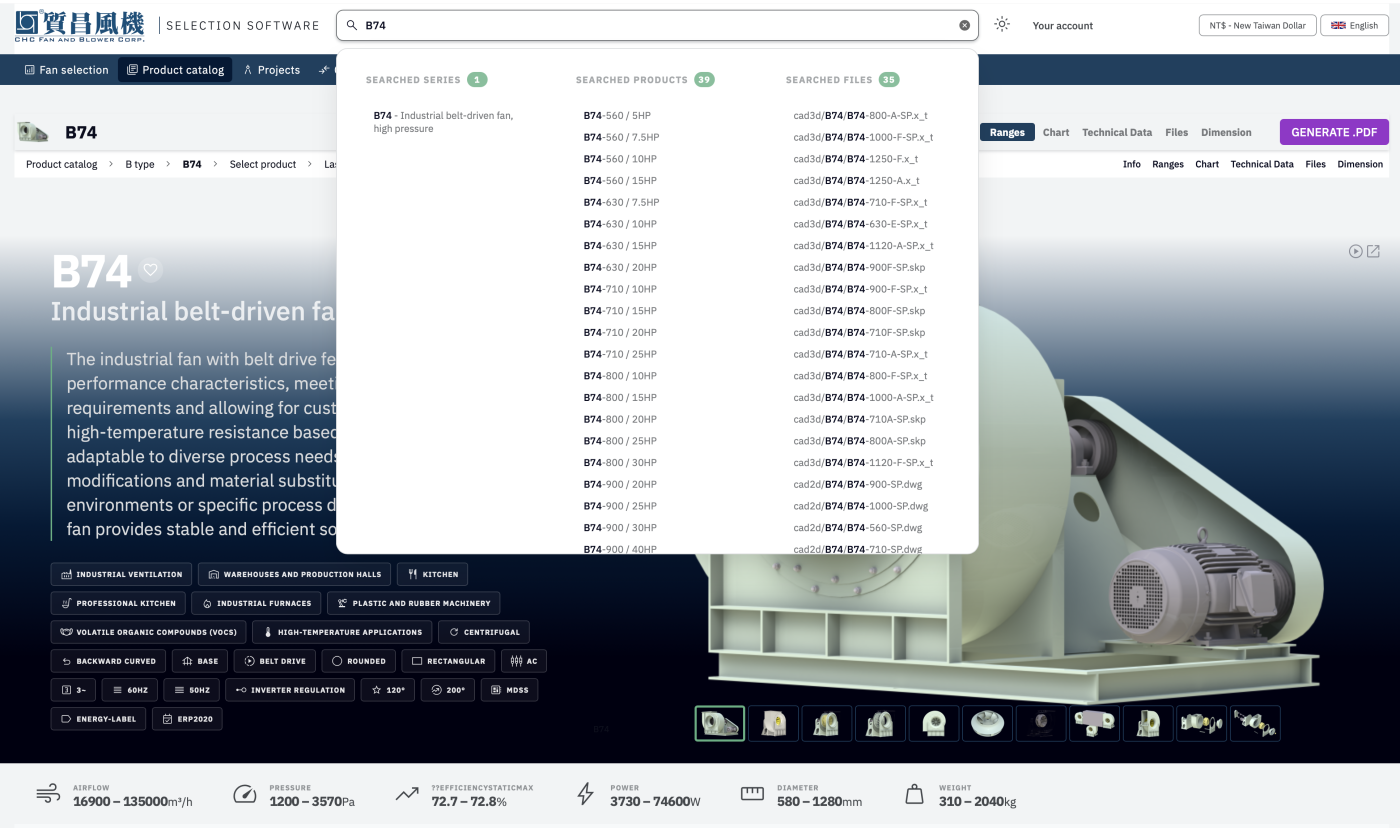
Instant search across every series, product and file in the system, available from any page.
Client projects
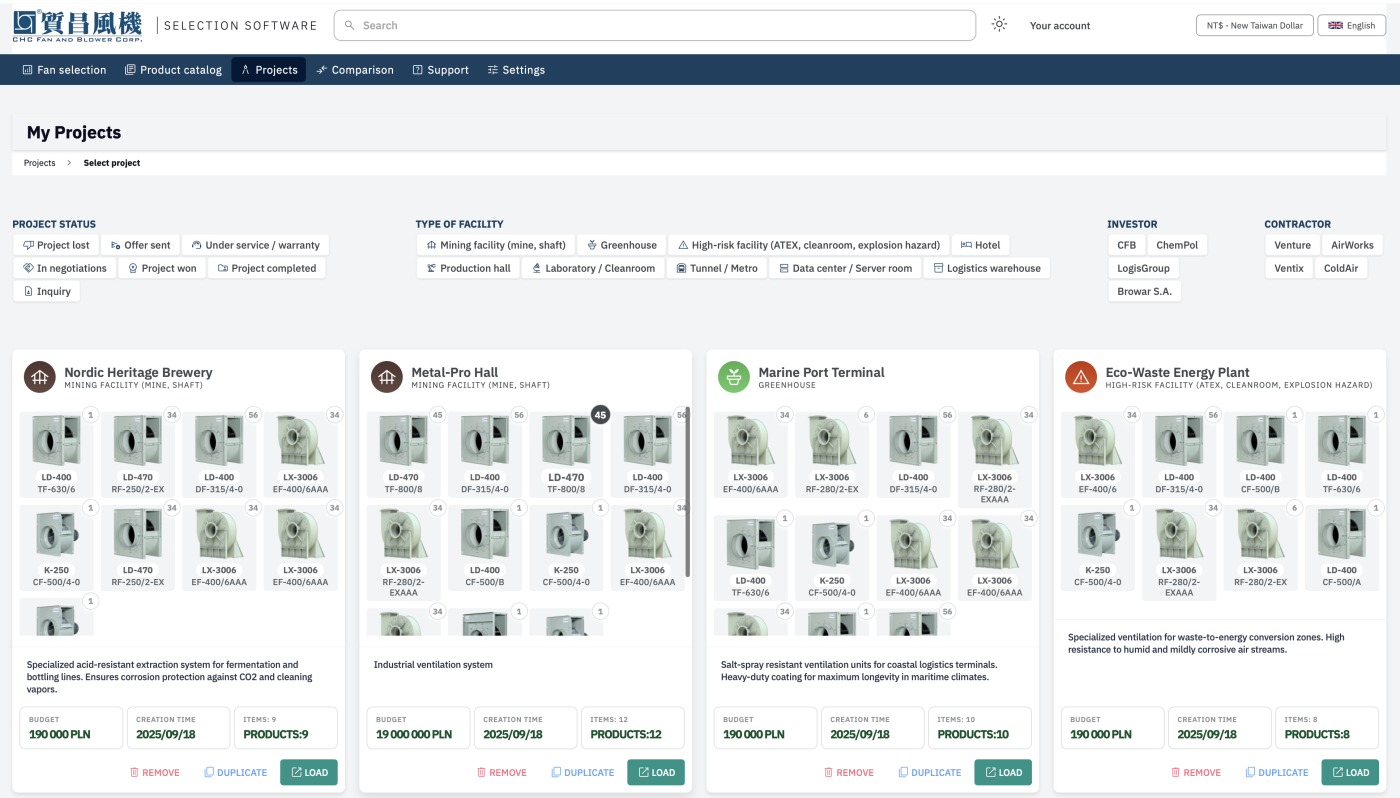
Client projects, filterable by status, facility type, investor and contractor — each with its own itemized fan list.
Project detail
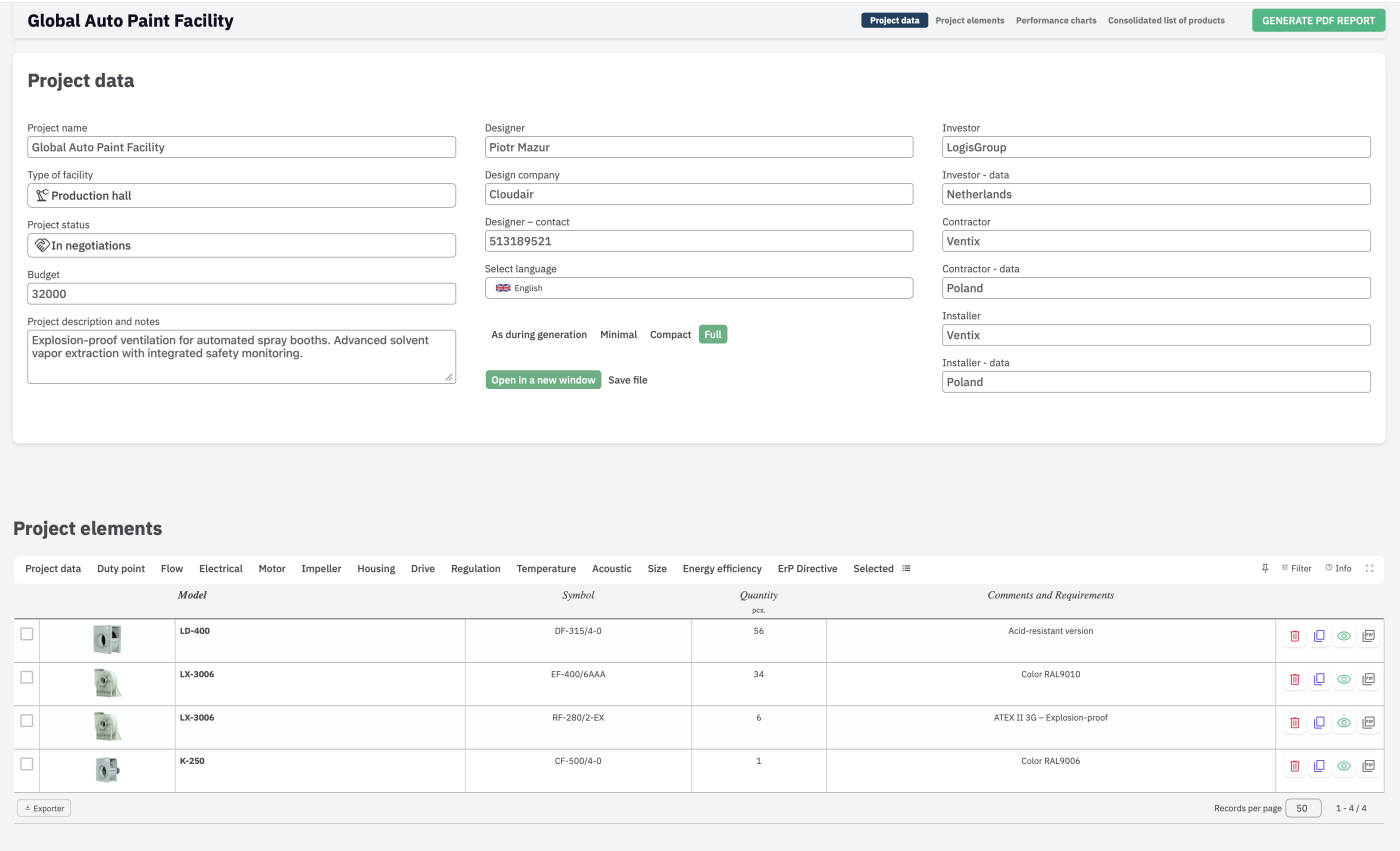
A single project — designer, investor and contractor details, plus every selected fan with quantities and requirements.
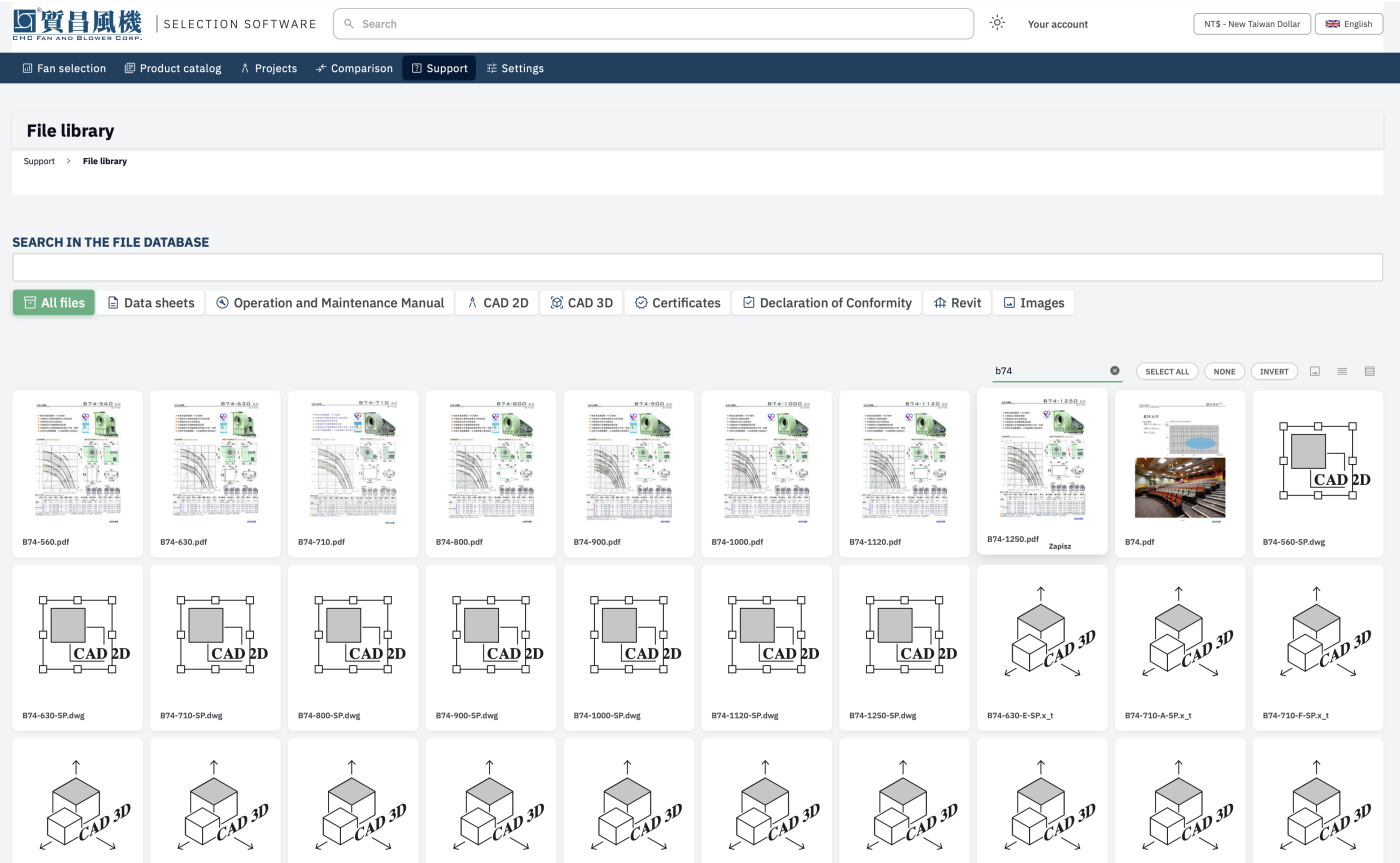
File library
The file library — datasheets, 2D and 3D CAD, certificates and manuals, searchable per model.
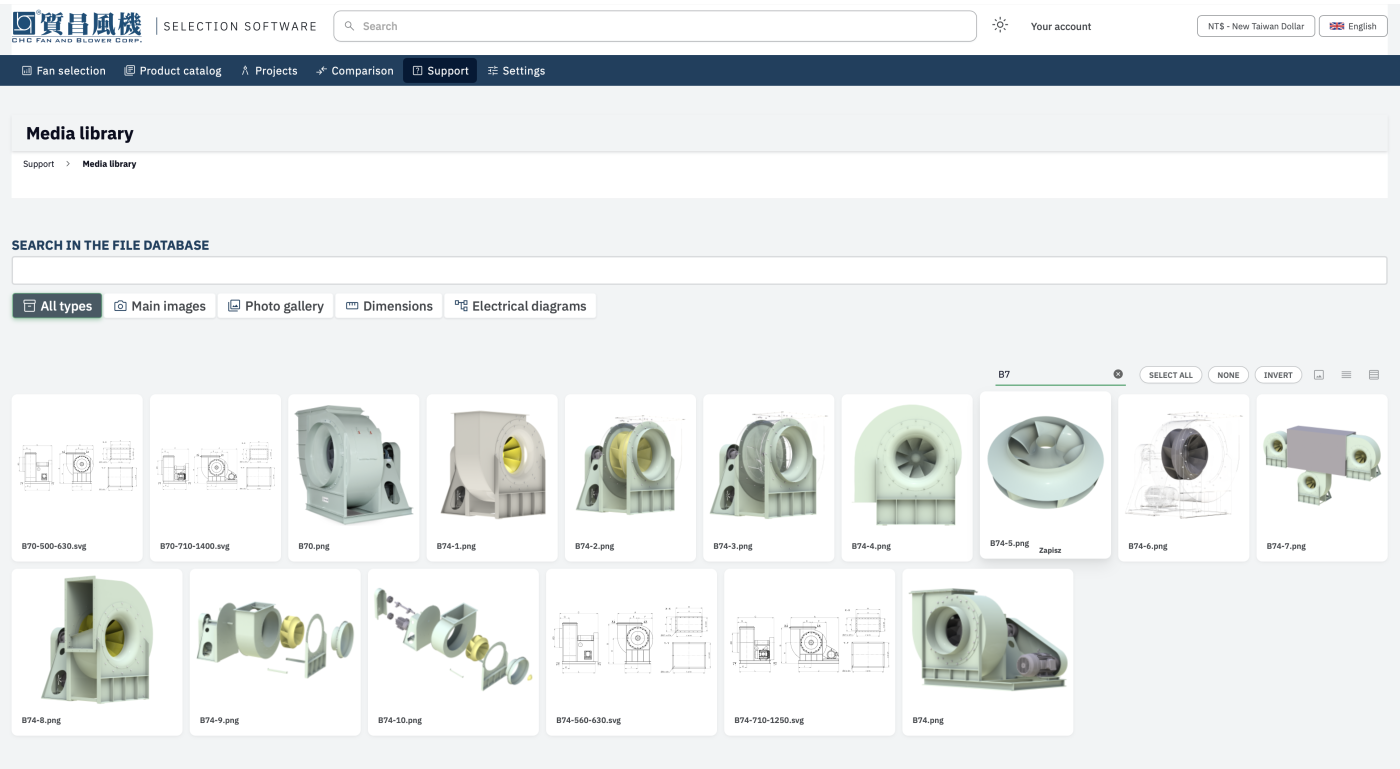
Media library
The media library — product photography, renders and dimension drawings, organised by model and searchable by name.
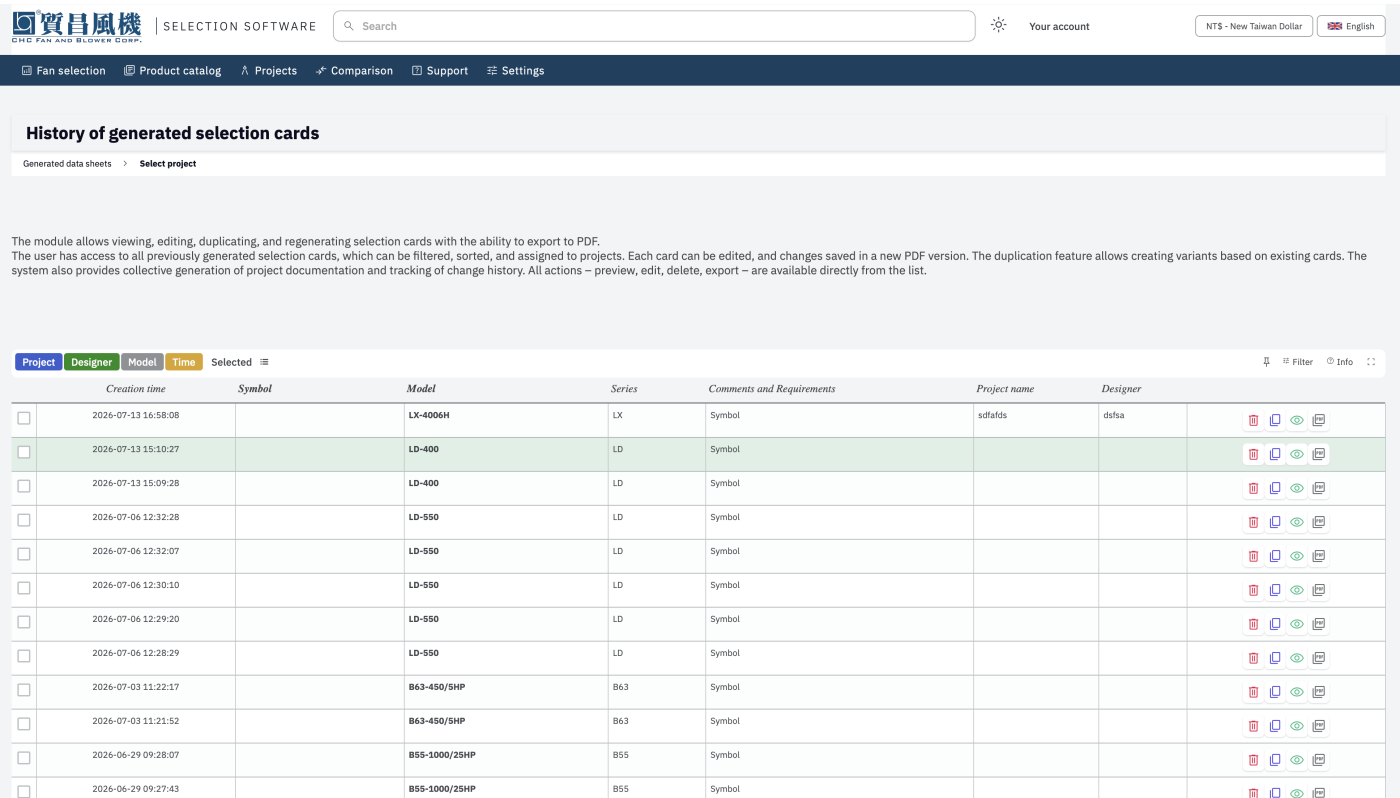
Generated datasheet history
A full history of every generated selection card — filterable, editable, and ready to re-export as a fresh PDF.
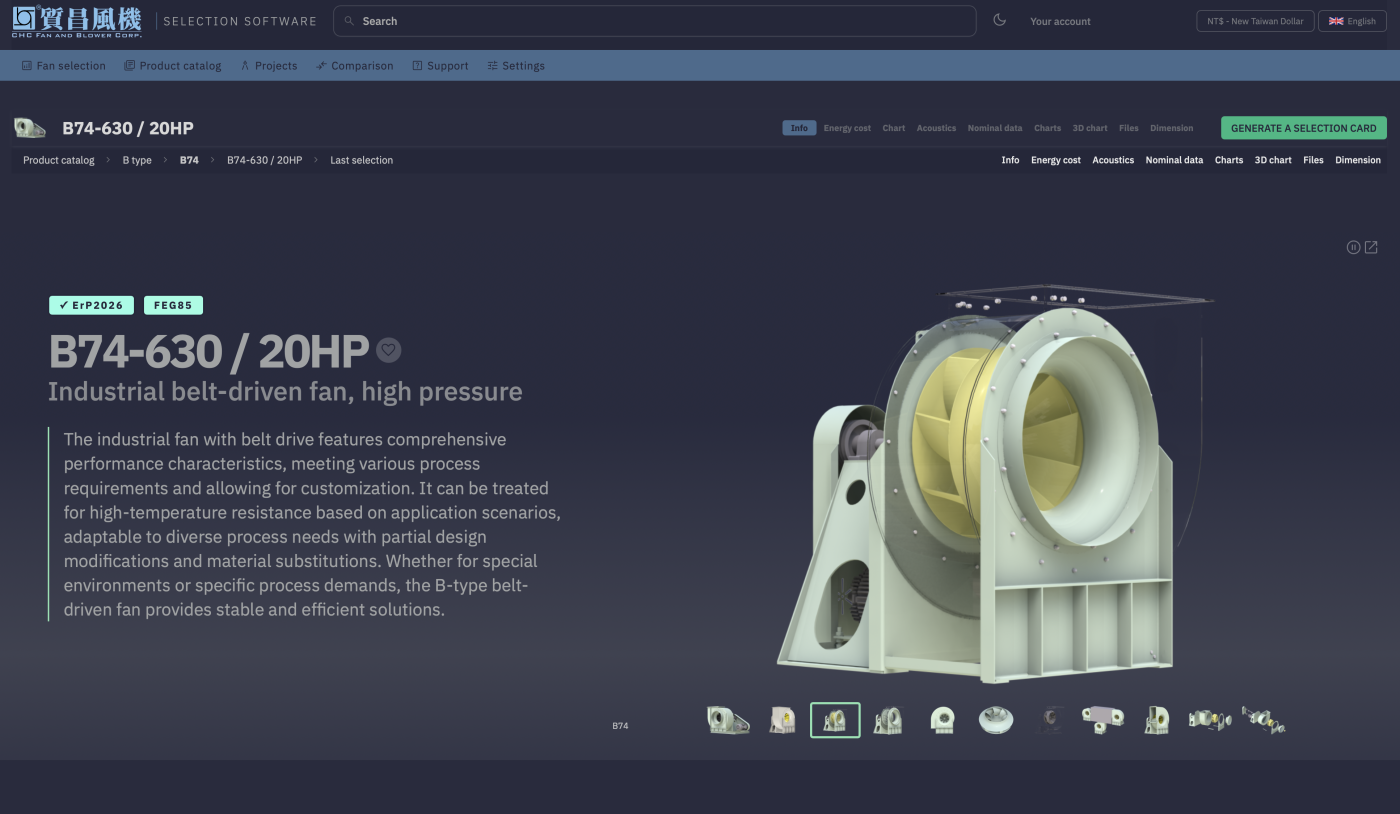
Full dark mode
Every page — product info, 3D views, ErP and FEG badges — carries a polished dark theme, not just inverted colors.
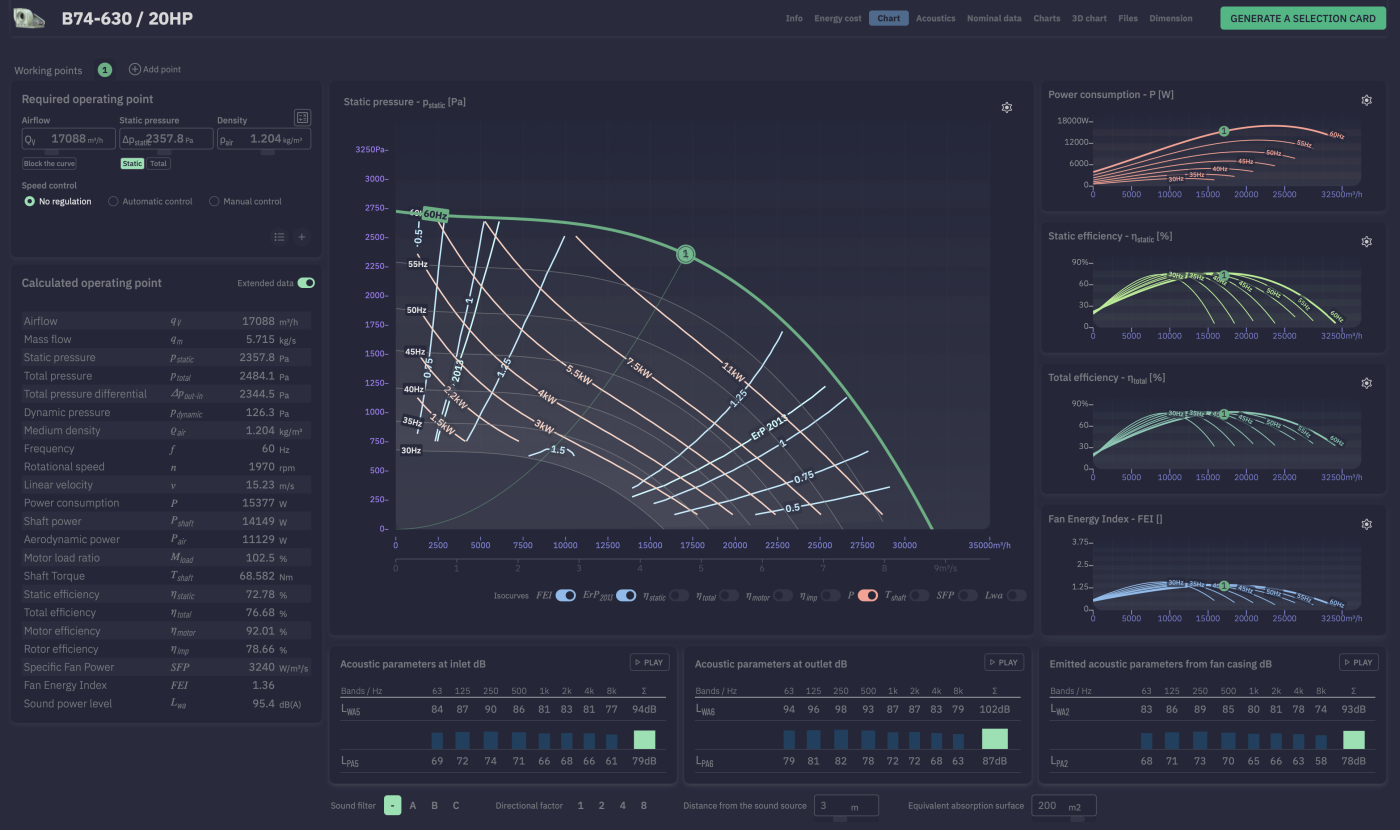
Dark mode performance charts
The theme carries through to the data-heavy pages too — performance curves, isocurves and acoustic tables, all in dark mode.
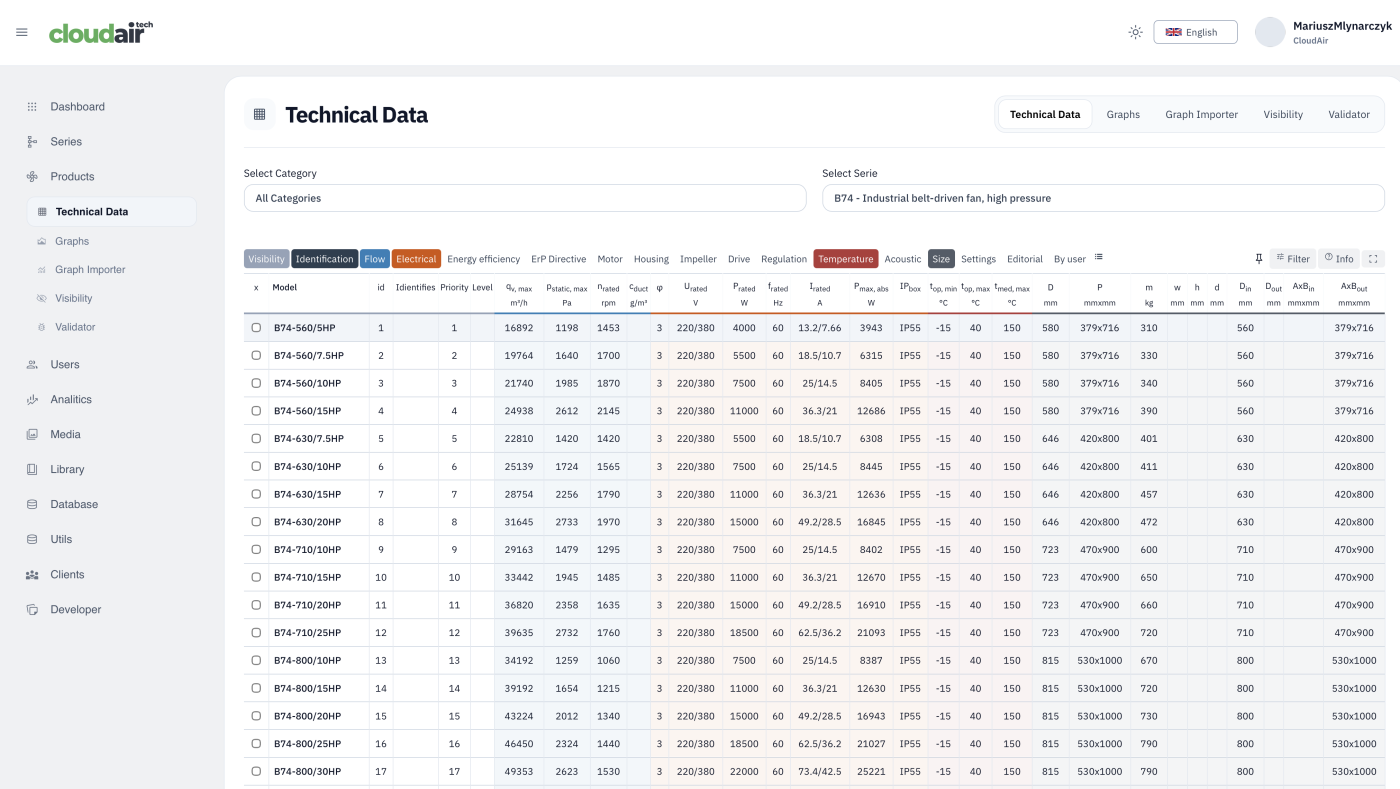
Admin: full technical data editor
Every technical parameter for a whole series — flow, electrical, ErP, motor, housing and more — editable in one spreadsheet-style table.
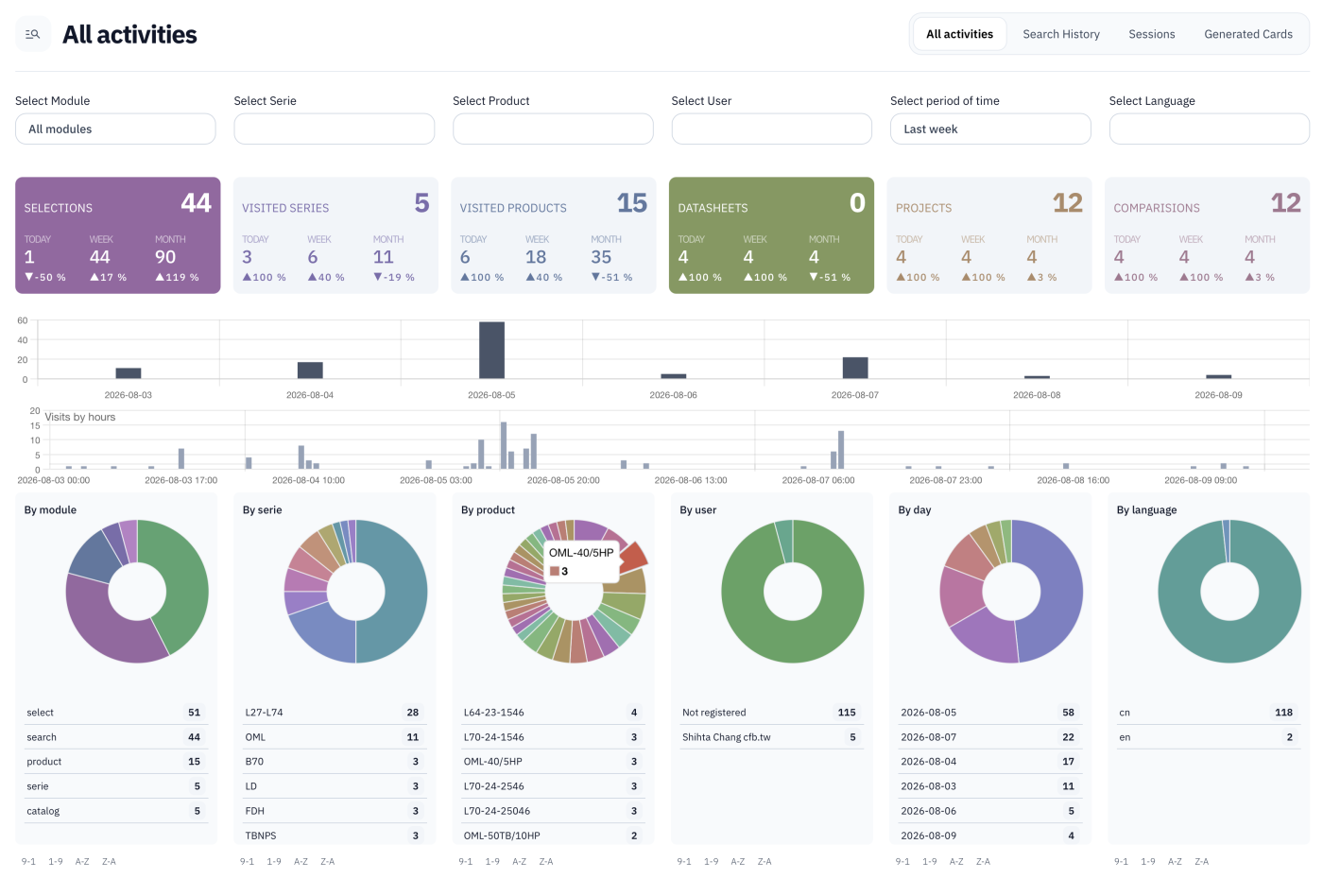
Admin: usage analytics
Selections, visits, datasheets, projects and comparisons tracked over time — broken down by module, series, product, user and language.
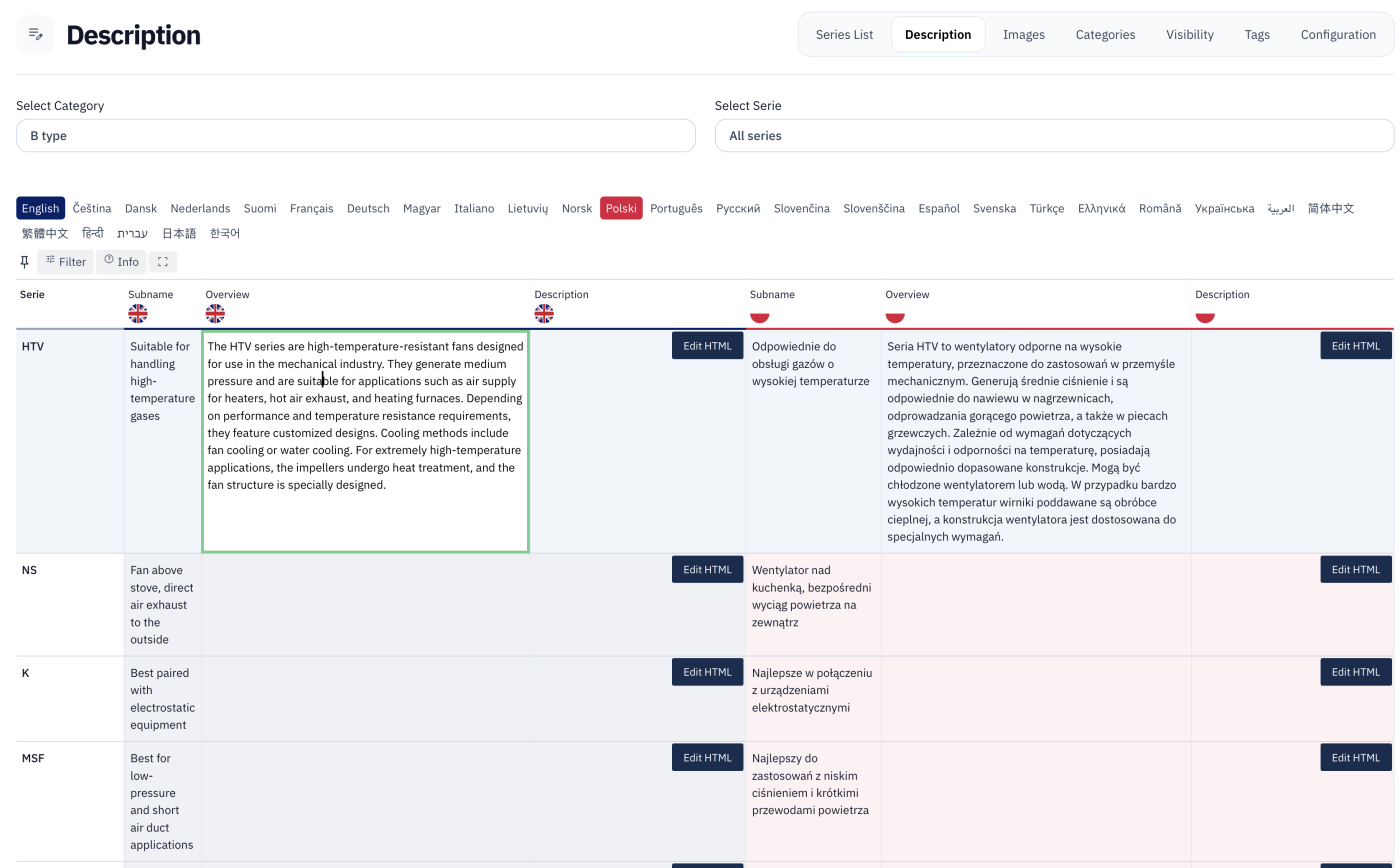
Admin: multilingual content editor
Series descriptions edited side by side across more than 30 languages, with rich HTML formatting for each.
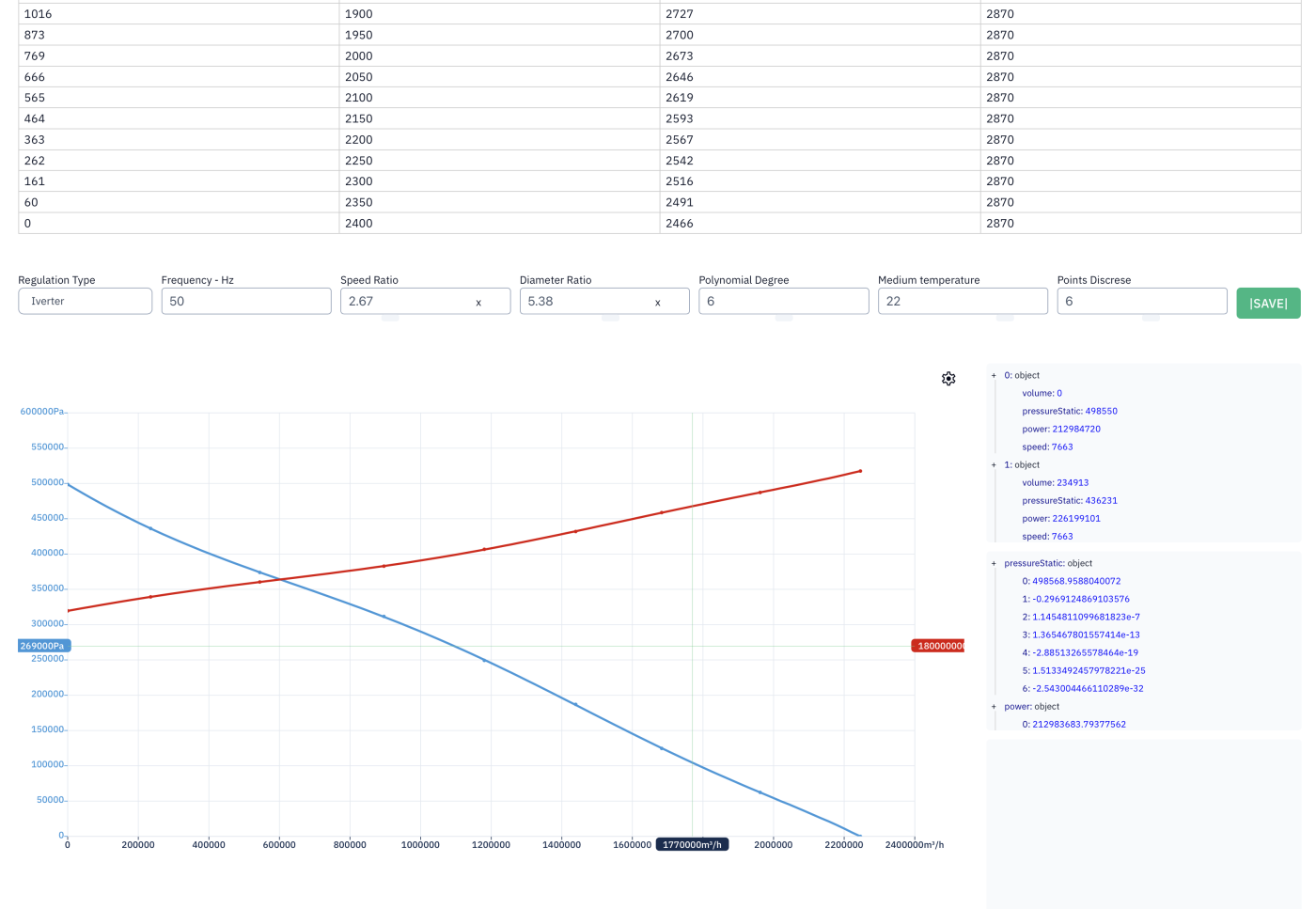
Admin: curve fitting engine
Raw measured points turned into smooth polynomial performance curves — regulation type, speed ratio and diameter ratio all adjustable.
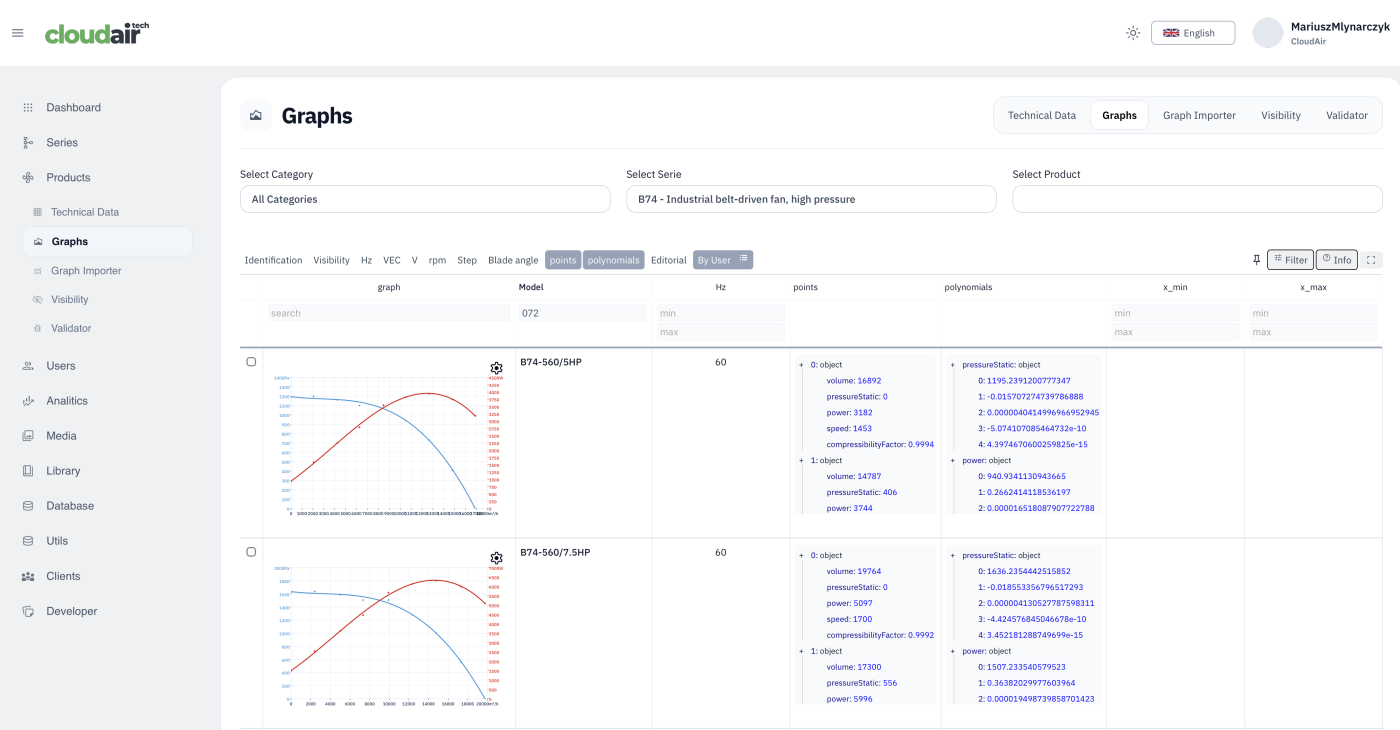
Admin: bulk curve overview
Every model's performance curve in a series, laid out together for a fast visual check before publishing.
Generated by the program
Real documents produced straight out of CFB's selection software — no manual formatting, generated the moment a customer picks a product or requests a comparison.